Grafily improvements 0.3.0...0.3.6
Pavlo Myroniuk July 19, 2026 #javascript #typescript #project #react #algorithms #data-structures #obsidianAnd while I am writing this post, hiding in the shelter from russian missiles attacking my city, please consider helping Ukraine fight the evil.

During the night from July 18 to 19, 2026, russia has fired the most ballistic missiles at Kyiv since the start of the war (> 40 missiles).
Intro
Here we go again 😉. Since May 09, I have implemented new features, fixed many bugs, and extensively polished the plugin. Now I use Grafily for my genealogy research on a regular basis. I already copied all people and their relationships into Obsidian, and I can successfully view family graphs of any kind and complexity.
The plugin works and looks like I wanted at the start of this journey 🤩. I am happy to create useful software, and even happier to use it myself ☺️. Just look at this family tree of mine:
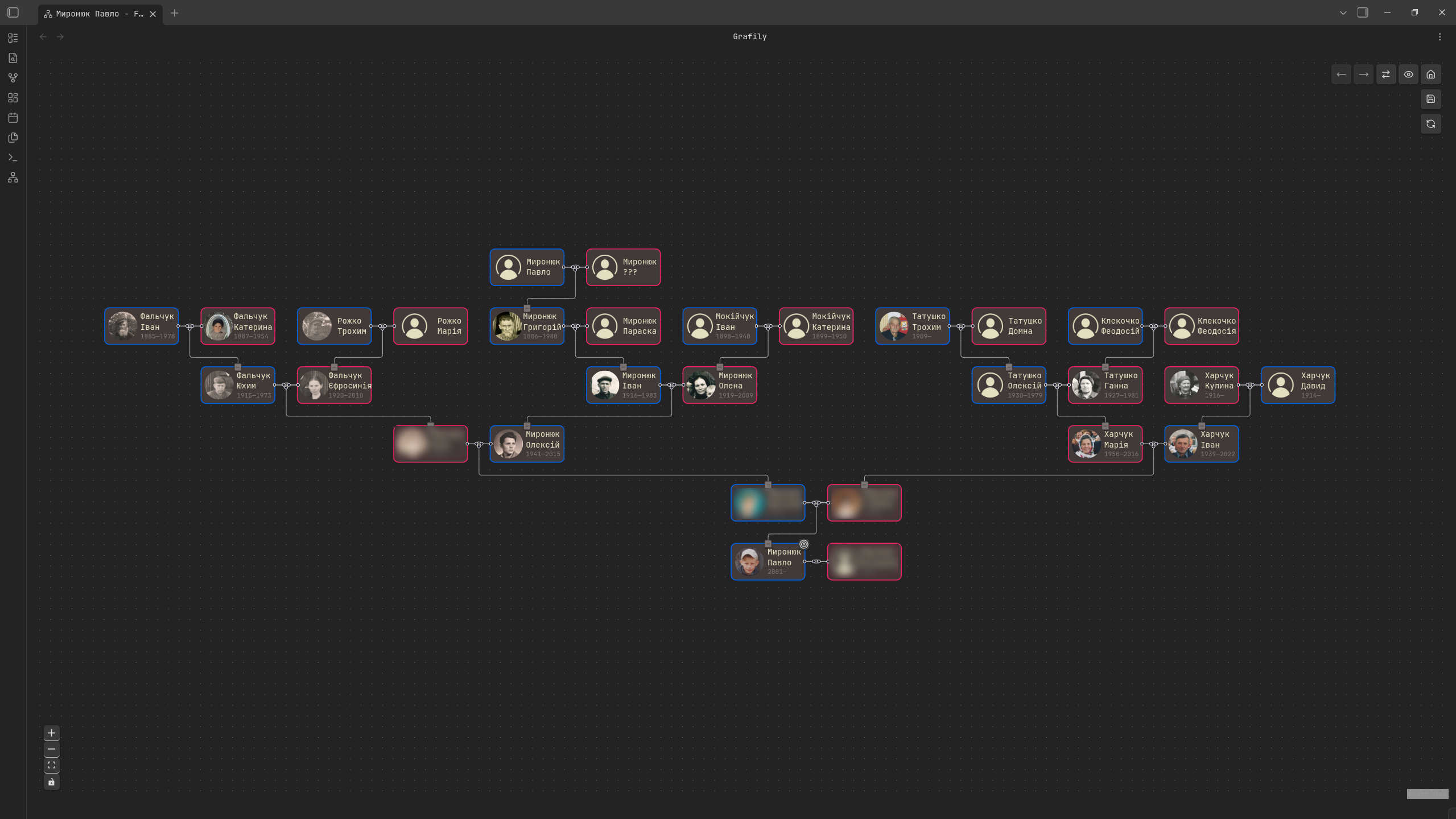
(I blurred alive persons, except myself)
This blog post describes all the interesting features and fixes since 0.3.0 (with examples, of course).
TL;DR. Short releases descriptions:
- 0.3.1: small fixes in
README.mdandmanifest.json. - 0.3.2: fixed plugin description inside
manifest.json. - 0.3.3: fixed version number inside
manifest.jsonandpackage.json. - 0.3.4: downgraded to React 18, improved start-up menu, added release artifact attestations.
- 0.3.5: selective display of marriage children and unsaved graph data detection.
- 0.3.6: layout algorithm fixes, better edges styling, navigation buttons, dynamic tab title, consistent parsing, target person autoselect, and other small fixes.
For someone who does not follow me and is not aware of what Grafily is, let me add a quote from my previous post about Grafily:
Grafily is an Obsidian plugin for rendering family relationship graphs and trees. It scans a person's pages inside the vault and builds the tree/graph based on it.
The resulting graph is interactive. It means that the user can change the graph structure, expand relationships (add nodes), collapse them (hide), swap spouses in a marriage, and even rearrange siblings.
Conceptually, the Features and How it works sections are still up to date and true. I did not change the core concepts. But you can notice small differences in UI/UX and button placements.
Community Plugins
First of all, I submitted the Grafily plugin to the Obsidian Community Plugins. Here is the official plugin page: community.obsidian.md/plugins/grafily. Now you do not need to build it from source or download and install the release assets from GitHub. You can now simply install it from the Obsidian app.
As I expected, the submission process was kinda annoying because their automated checker constantly failed my releases. Here are some of the errors:
- Invalid plugin description inside
manifest.json. - Versions mismatch in
manifest.jsonandpackage.json. - Dynamic
<script>element injection, which is a security risk. - Some
eslintrules were disabled, and it is not allowed. - ...and some other errors.
I do not blame the Obsidian team or anything.
All errors I faced were fair and needed to be fixed.
The only unexpected thing was Found 3 dynamic <script> element creations..
I have never used such things.
My suspicions were correct: it was a dependency problem.
In any uncertainty, blame React and move on 😁.
It's a joke, of course, but in my case, it really solved the problem.
I did some research: the React 19 Resource Hoisting feature causes dynamic <script> injection (creation).
I asked about it in the Obsidian Discord server, and they confirmed it:
This is a known issue, the easiest solution for now is to downgrade to React 18.
PRs I made in order to submit the plugin to the community:
- chore:
readme.mdandmanifest.json. - fix: description in
manifest.json: add.. - chore: bump plugin version to
0.3.3. - chore: downgrade to React 18.
- feat(ci): artifact-attestations.
- refactor: enabled disabled
eslintrules. I disabled someeslintrules to simplify plugin development, but the Obsidian team forced me to enable them. And I am grateful for that, because it forced me to type-check more things and develop better function/type contracts (which improved my TypeScript skills 🤓).
Selective display of children
This is another huge step toward better interactivity. This feature is available only for the Brandes-Köpf layout type.
Let's imagine the situation when the marriage has many children. Actually, we do not even need to imagine. My ancestor families usually have >= 3 children. Let's take great-grandparents' children on my mother's side:
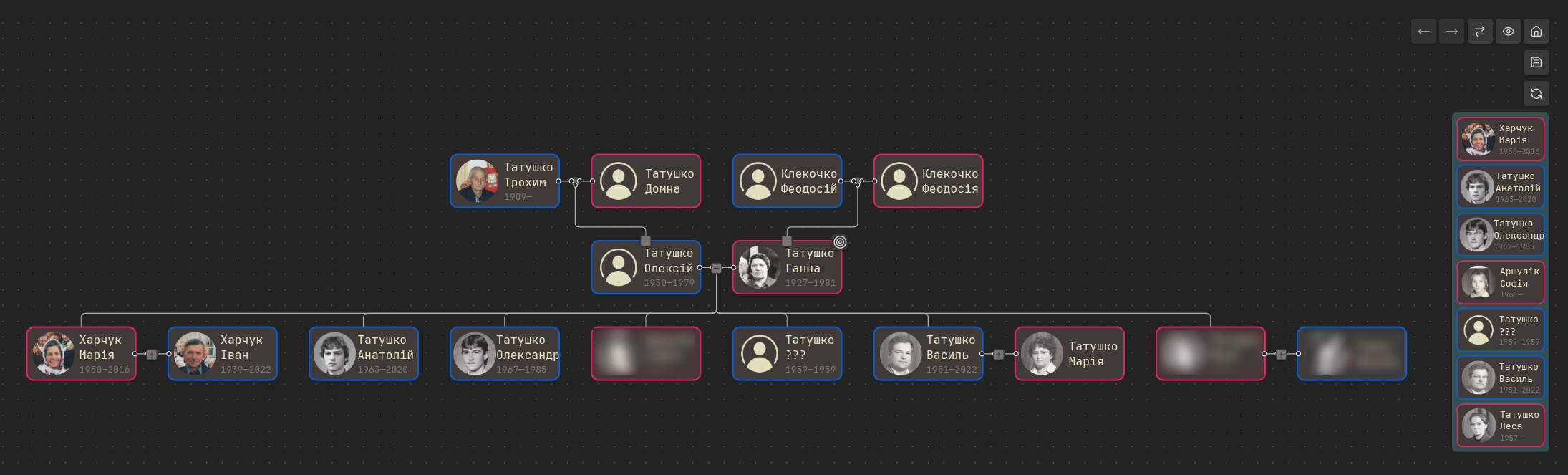
They had 7 children. It is expected that you may not want to see all children on the graph. You may want to hide some of them to save screen space and focus attention on other, more important persons.
This is why I implemented selective display of children.
When you select the person (with ctrl+click on the person's node), you see this person's children on the right side of the screen.
You can hide or show only specific child subgraphs by clicking those children in the side panel.
For example, let's hide all children whose spouse and children are unknown, and expand subgraphs of all other children:
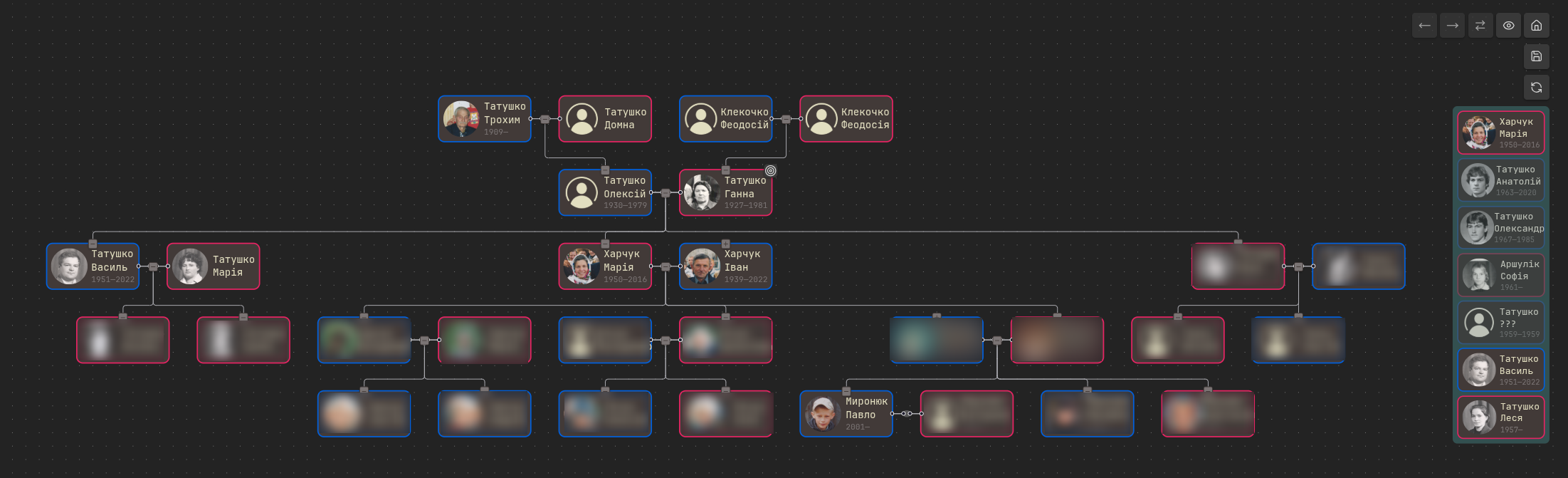
In such a way, you can modify the family graph as you want and achieve the desired layout without any problems.
PRs:
- feat: show/hide siblings node.
- fix(layout): full graph: children node inserting.
- feat: now the user can open the person from side panel.
Navigation buttons
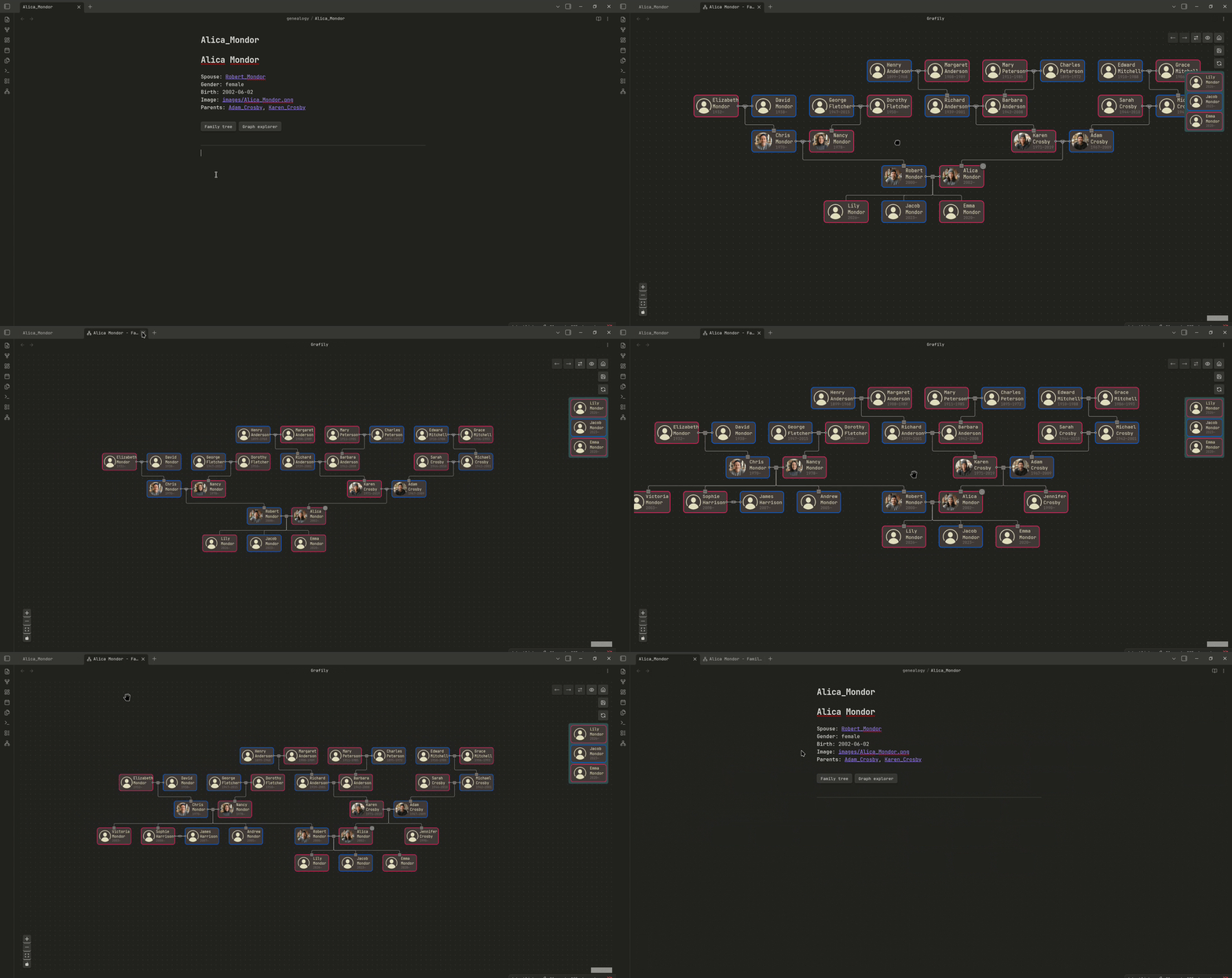
I was tired of opening a plugin, typing the person's name, and pressing all those buttons. Often, I just want to build a relationship graph for the current person. I created a simple yet very convenient way to build graphs.
The Grafily plugin now supports the grafily-navigation code block.
It will be rendered as two buttons for quick and easy graph building:
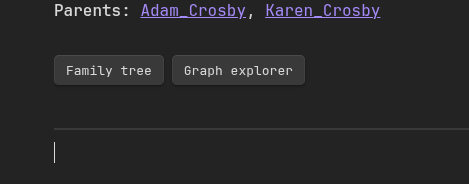
The left button opens the family tree of the current person (Reingold-Tilford layout). The right button opens the graph explorer, making the starting person the current person (Brandes-Köpf layout). Example:
PRs:
UI/UX improvements
Edges styling
| Before | After |
|---|---|
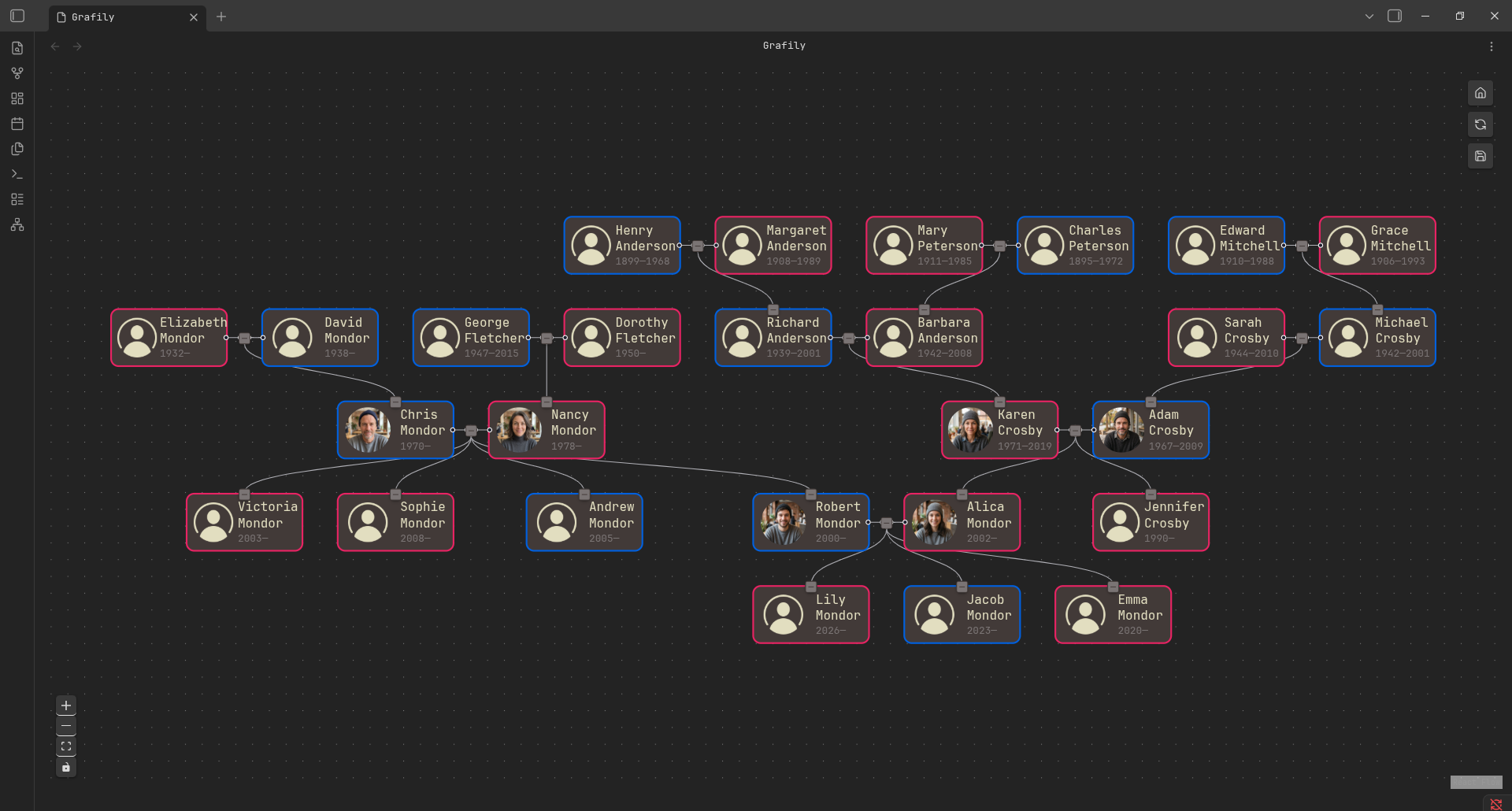 | 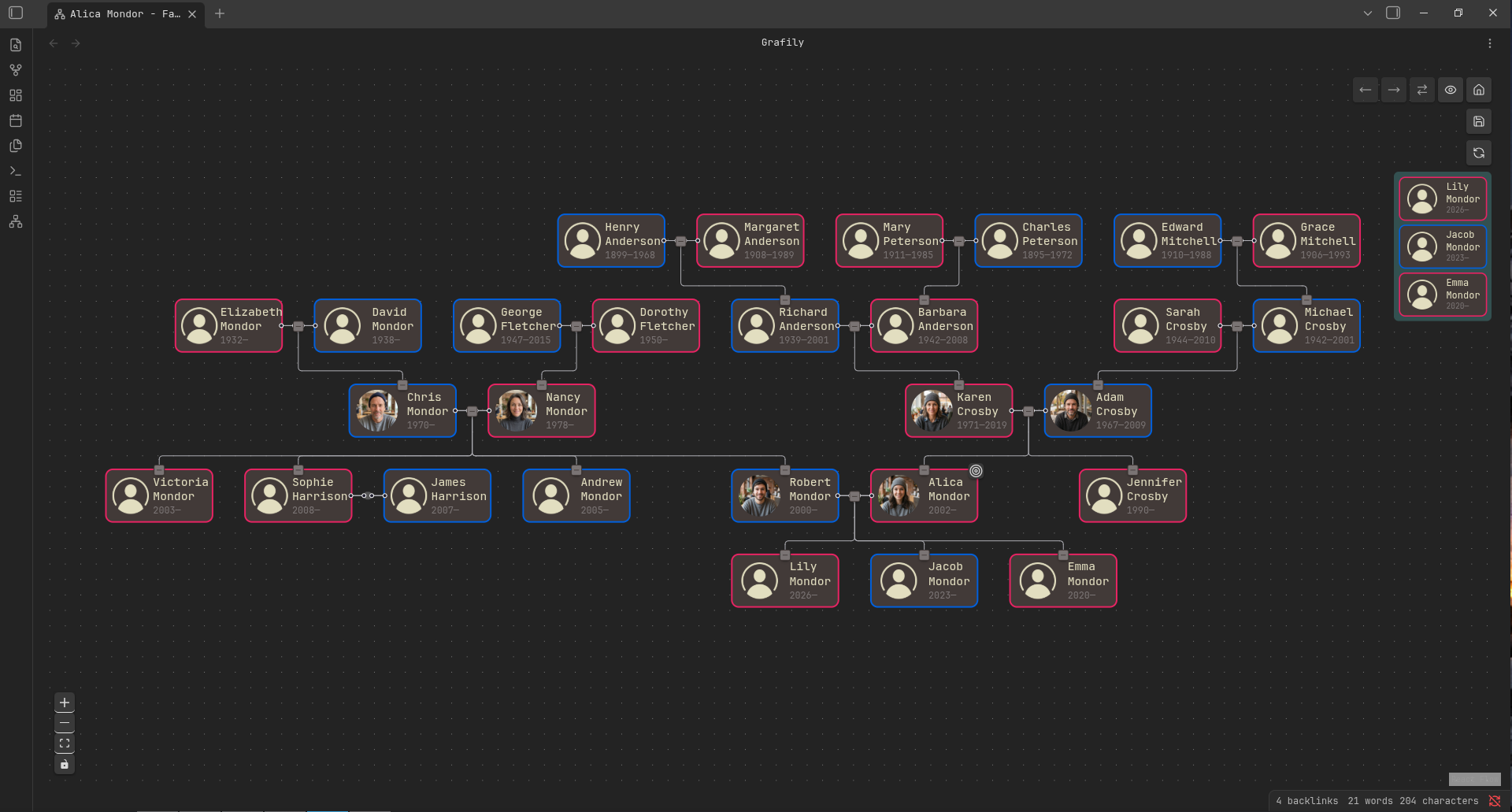 |
I bet you can see the difference. The fun part is that I did not implement a new edge type. It was available all the time. I just figured out a way to set the node handle correctly, so the edge is in the middle of the vertical space between nodes.
Unsaved changes detection
I was annoyed and even a bit angry. Why did I not implement it earlier?! 🤡 Who possibly could think that if the data loss is possible, it will 99.9% happen?

Honestly, I knew it would happen. Back then, I decided to implement it later on purpose. But I did not expect that it would happen so often and be so annoying!
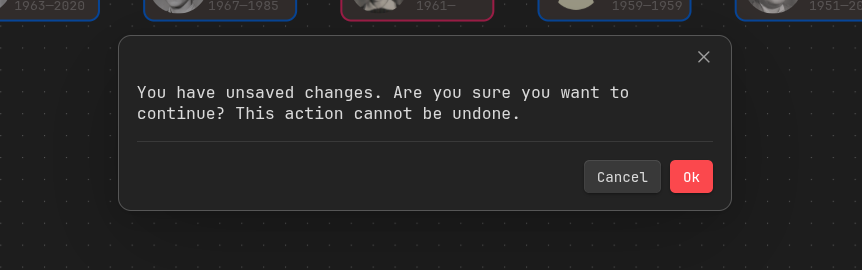
Now, when you have unsaved changes, the app will ask you for confirmation when you try to return to the start-up menu without saving:
Dynamic tab title
It is not helpful at all when you have many open tabs named Grafily.
Now the Grafily plugin tab changes depending on what graph you build.
- When the user opens the start-up menu, the tab title is the same:
Grafily. - When the user opens a saved graph or saves the unsaved graph, the tab name is the graph name.
- When the user builds a new graph, the tab name is
<person's name> - <layout friendly name>. For example,Myroniuk Pavlo - Family treeorMyroniuk Pavlo - Family explorer.
Reorder side panel buttons
It's easier to see in comparison:
| Before | After |
|---|---|
 | 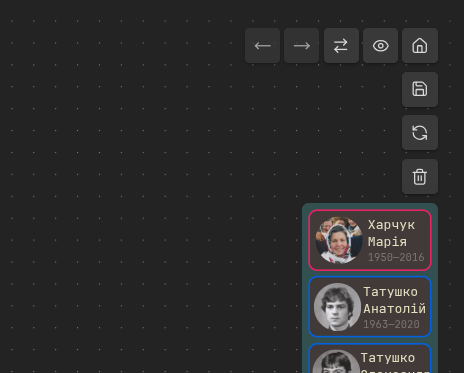 |
I still do not think that the current button order is perfect, but it is 100% better than before. Further experience will show the right path.
Autoselect the starting person
That's a small improvement but still worth mentioning because it's so useful. Before building the graph, the user must select a starting person. Now, when the graph is built, the starting person is automatically selected, and the graph is centered so that this person is at the center of the screen.
Bugfixes
Previously, when the user had no people in the vault, the plugin failed to display the start-up menu. It is not incorrect, but rather confusing.
Previously, when the marriage had no children, the children collapsing button was still rendered. Now the bug is fixed.
Every time you open the plugin, it scans the specified directory for persons and extracts metadata from Obsidian notes. The plugin builds an index by collecting that metadata. I did not realize this before, but the resulting index must be the same after every directory scan. And all person and marriage IDs also must come up the same. Otherwise, the saved graph node IDs will point to non-existing persons/marriages in the index.
I ensure the same IDs after every directory scan by sorting marriage spouses by name 😃.
It was leftover from the initial layout implementation. When you swap spouses and expand their parents, then the spouses' parents may be in the wrong order. One function relied on the spouse's order from the index instead of taking it from the layout object.
Previously, when you had two plugin tabs open, only the first one had background dots.
It was fixed by assigning a unique ID to each ReactFlow component.
Conclusions
I said it before, and I say it again: writing software for yourself and using it is an amazing feeling. I like the result, I like how it grows, I like the fact that I am using it.
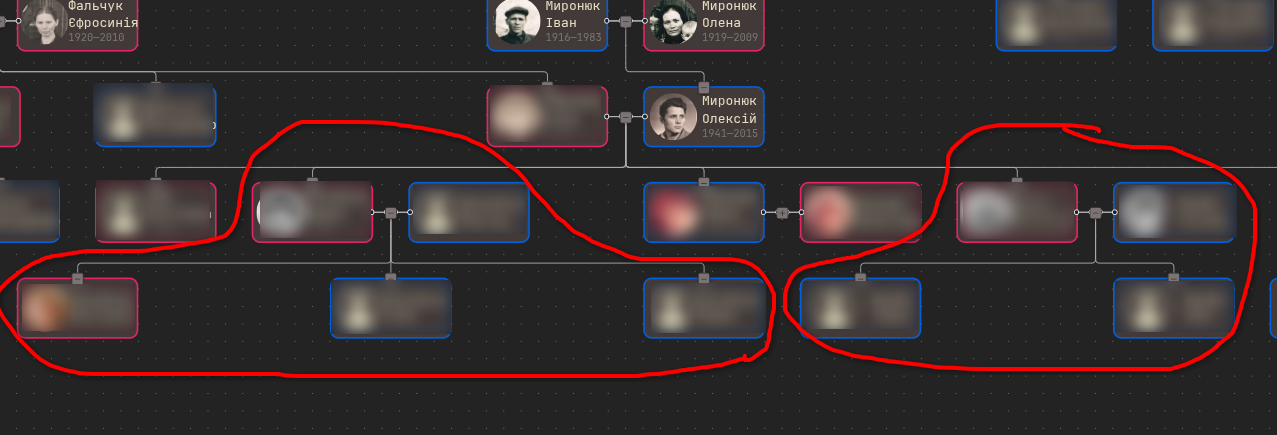
Currently, the plugin is as good as I wanted it to be. The only thing I wish were better is the node positioning algorithm. I often see situations when child nodes are not centered relative to their parent node. I do not mean a small shift. I mean a huge misalignment:
My internal engineer says to create my own node-positioning algorithm for that specific case, but I am not sure it is worth the trouble or whether I am even able to do that.