Drawing Genealogy Graphs. Part 2: Genealogy Graph Interactivity
Pavlo Myroniuk September 13, 2026 #algorithms #data-structures #typescript #drawing-genealogy-graphs-seriesIntro
This is the second post in a series about building and rendering genealogy graphs. You can see all posts in the series here: /tags#drawing-genealogy-graphs-series.
In the first post, I described the Reingold-Tilford algorithm for positioning tree nodes (calculating (x; y) for each tree node).
In the same post, I said that trees as a data structure for representing relatives is inconvenient because it simply does not allow you to see siblings of ancestors or parallel families.
So, I moved on and implemented a set of algorithms for building and rendering genealogy graphs. A graph is a more complicated data structure than a tree, so I decided to split it into two posts:
- the first post (the one you are currently reading) is dedicated to graph building and interactivity;
- the second one is about the node positioning algorithm.
It's too much for one post. Good, let's start 🚀
Before we move on, I want to remind you of one simplification I have followed to this day: the graph node is either a person node or a marriage node. Structurally, there is no difference between a person node and a marriage node. Both of them are just nodes.
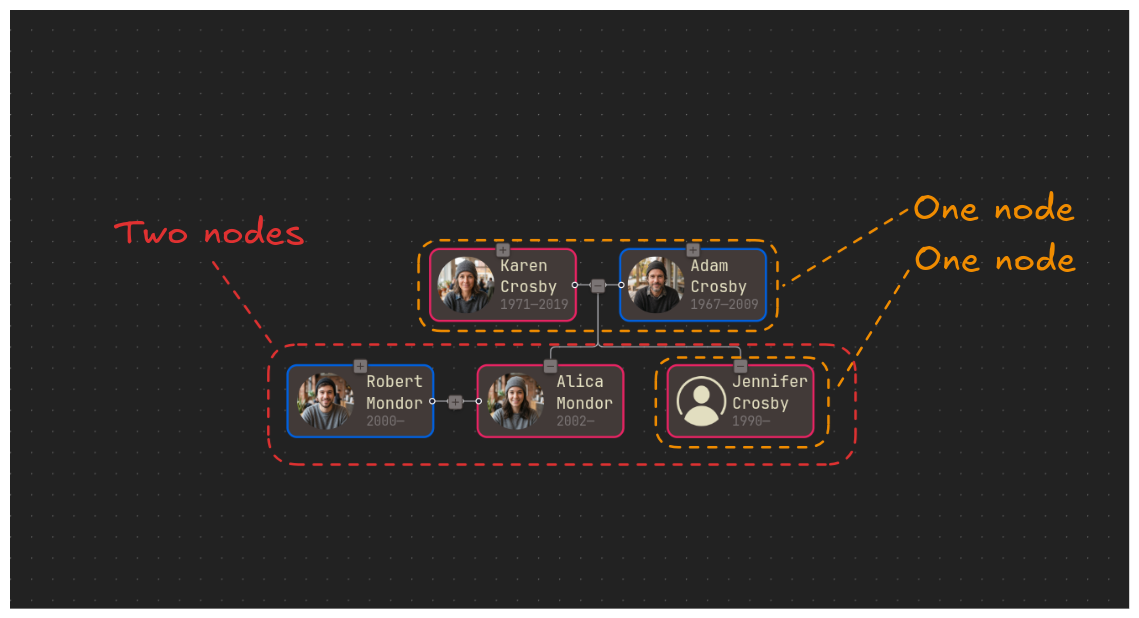
What is a genealogy graph?
If you say that a genealogy graph is a graph that represents family relationships, ancestors, descendants, etc., then you will be 100% correct. What properties does such a graph have?
- Every node has at most two parent nodes. Every node can have any number of children.
- Horizontally, all nodes are split into layers. Every node has a layer.
- Every edge connects two nodes of adjacent layers. That's not true in all cases, but I don't plan to support it in the future either.
- Edges do not cross - this constraint is added by me.
The last property is not true by default. If we try to include all people on the big-enough graph and render them all at the same time, we will eventually have edges crossing. In some cases, it's just not possible to render all nodes without edges crossing.
But keep in mind that I don't set out to render all nodes at once. My goal is to let the user construct any graph they have in mind. So, it is okay if I forbid edges crossing. Interactivity solves this limitation perfectly 😉.
What is interactivity?
In general terms, interactivity is the ability to interact or to communicate with a system. The user can perform actions on the system, and it will respond accordingly. But what does it mean for the genealogy graph?
I define genealogy graph interactivity as a set of actions that allow the user to edit the graph as they want. It includes:
- Building the initial graph starting from the selected person.
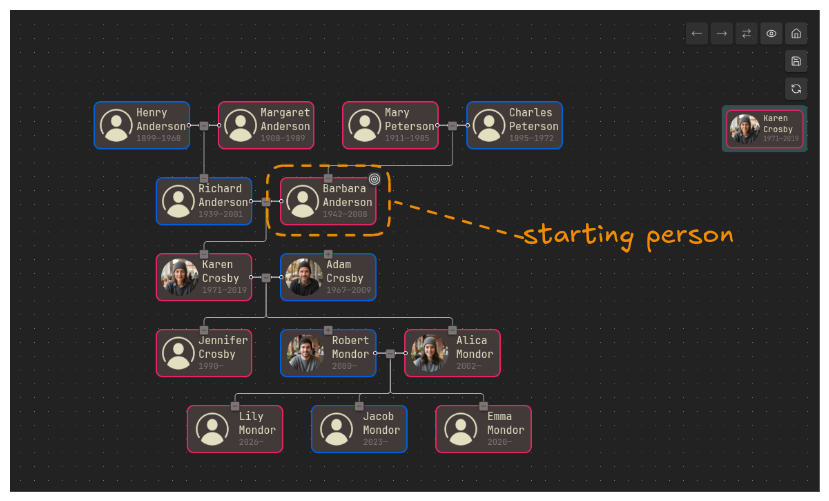
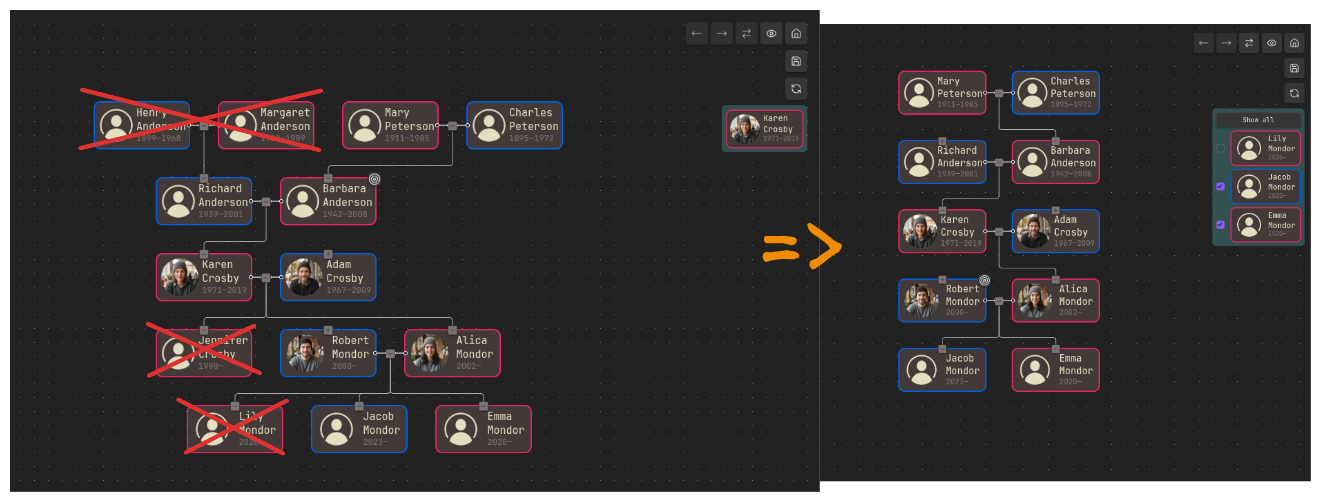
- Removing (collapsing) any parents/children from the graph.
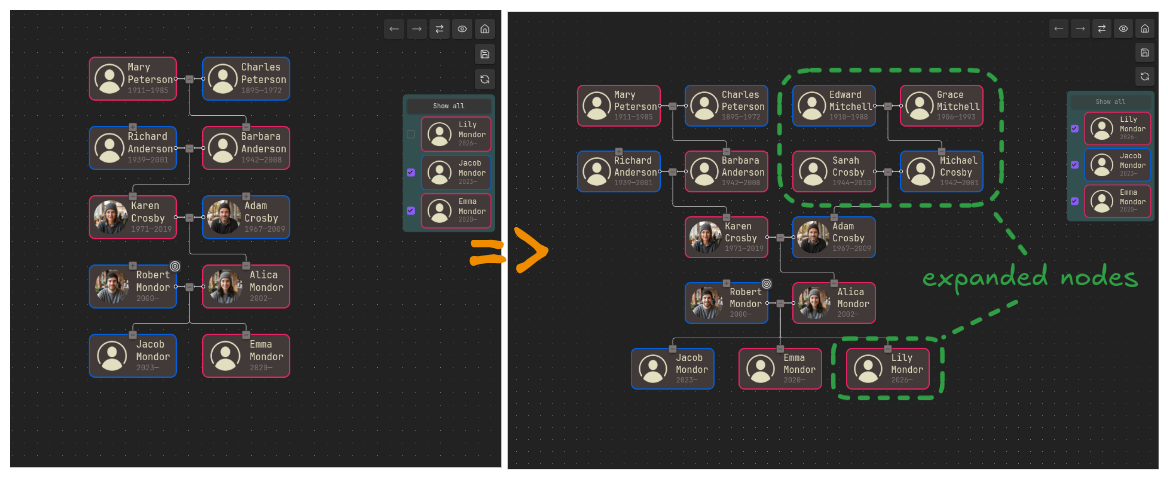
- Adding (expanding) person parents or marriage children.
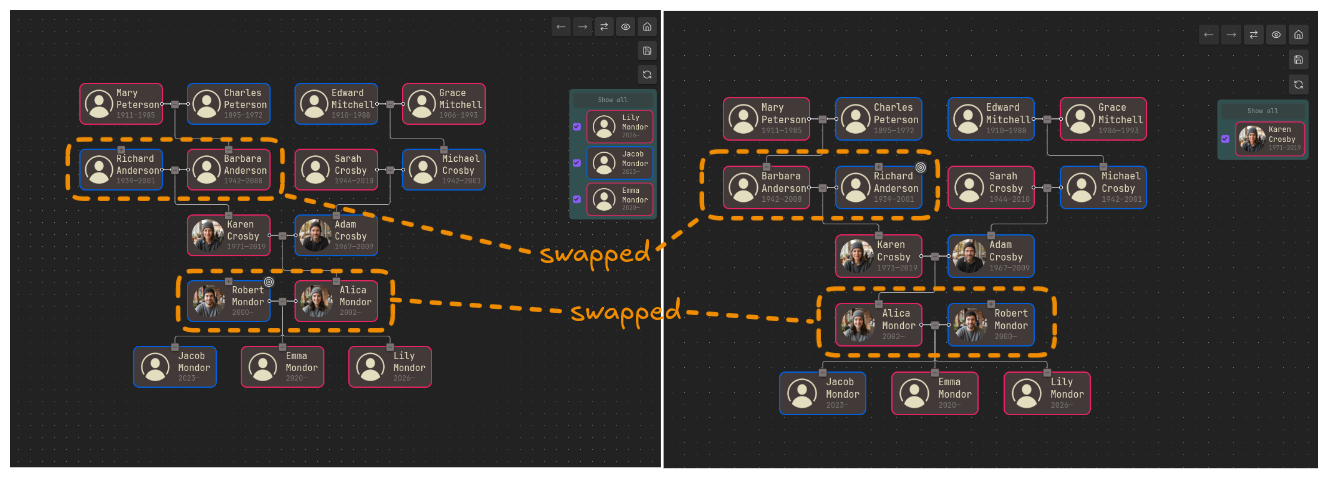
- Ability to swap spouses inside the marriage.
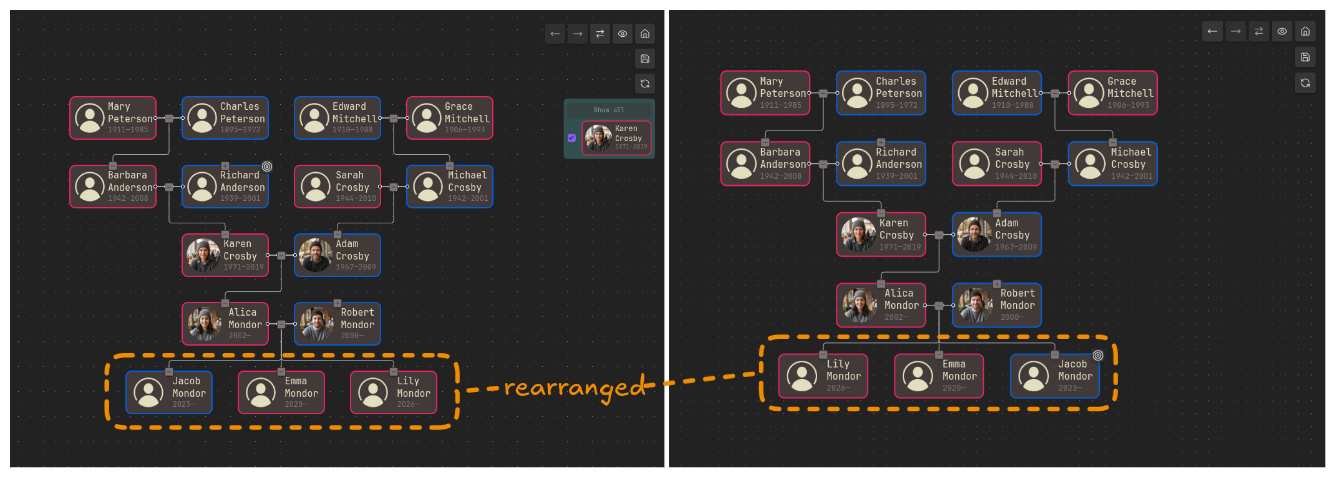
- Ability to rearrange siblings of the marriage.
The actions defined above let us build a genealogy graph of any complexity. In the following sections, I explain how each action works, what drawbacks and constraints I impose, and why.
Interactivity explained
Nodes adding
I'll start with node adding because it's the most interesting and most complicated part. Let's run through a few examples of possible cases. After that, I will describe the final algorithm.
Look at the graph below. Where should we insert the parents of Adam Crosby?
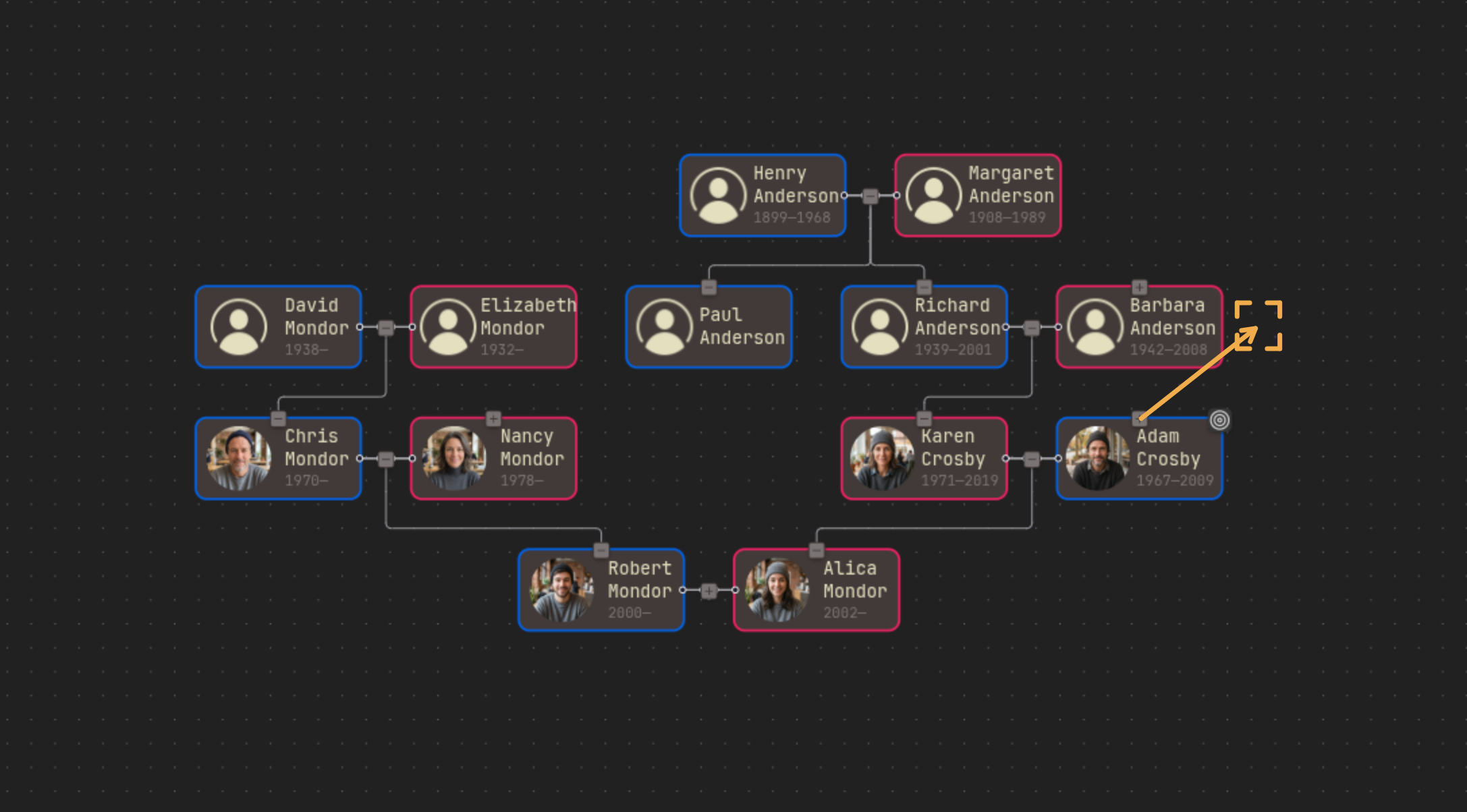
Obviously, right after the parents of Karen Crosby. Okay, let's take something more difficult. Where should we insert the parents of Nancy Mondor?
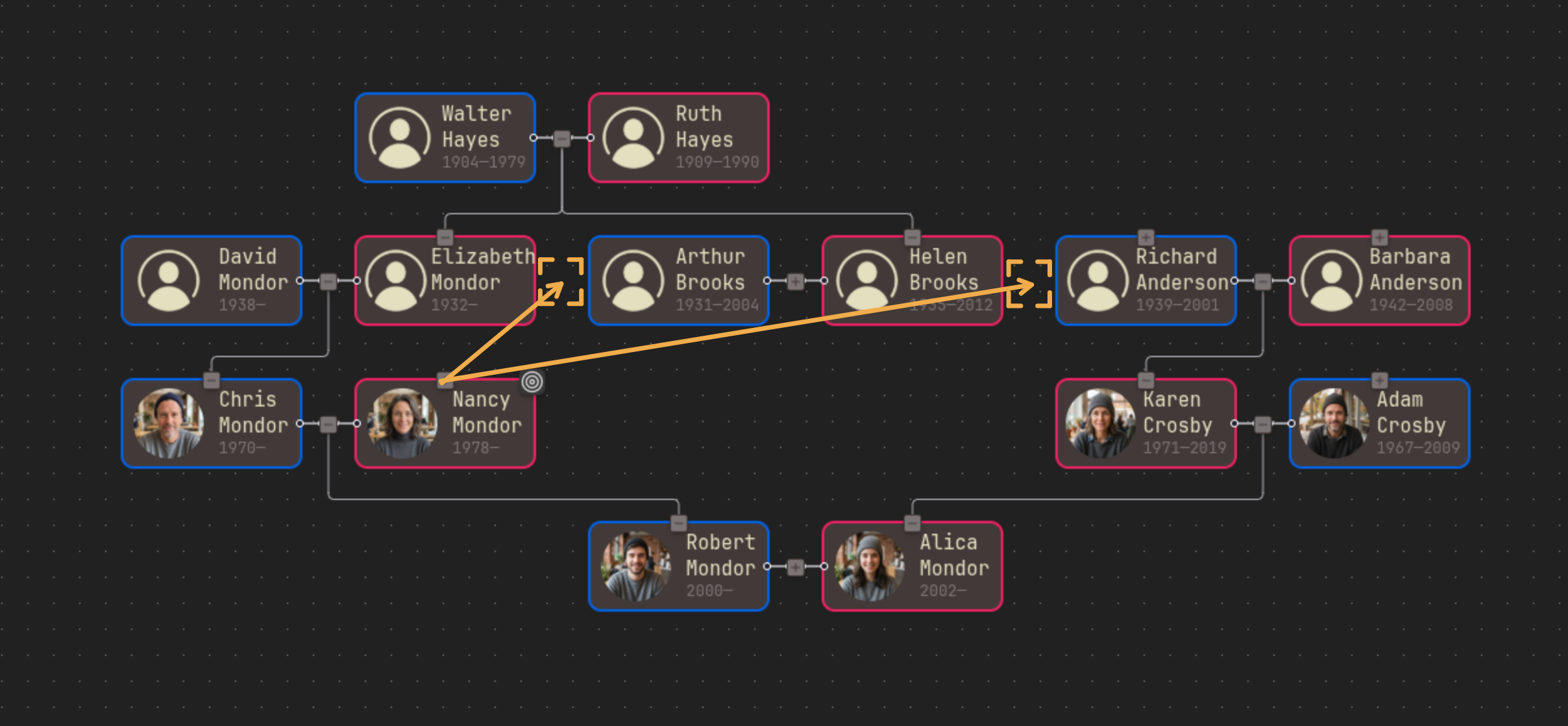
Apparently, we have two options: insert parent nodes between Elizabeth and Arthur or between Helen and Richard. What should we choose? Our intuition says to choose the second option. Okay, what if I change the graph a bit: I will add Arthur and Helen's children to the graph.
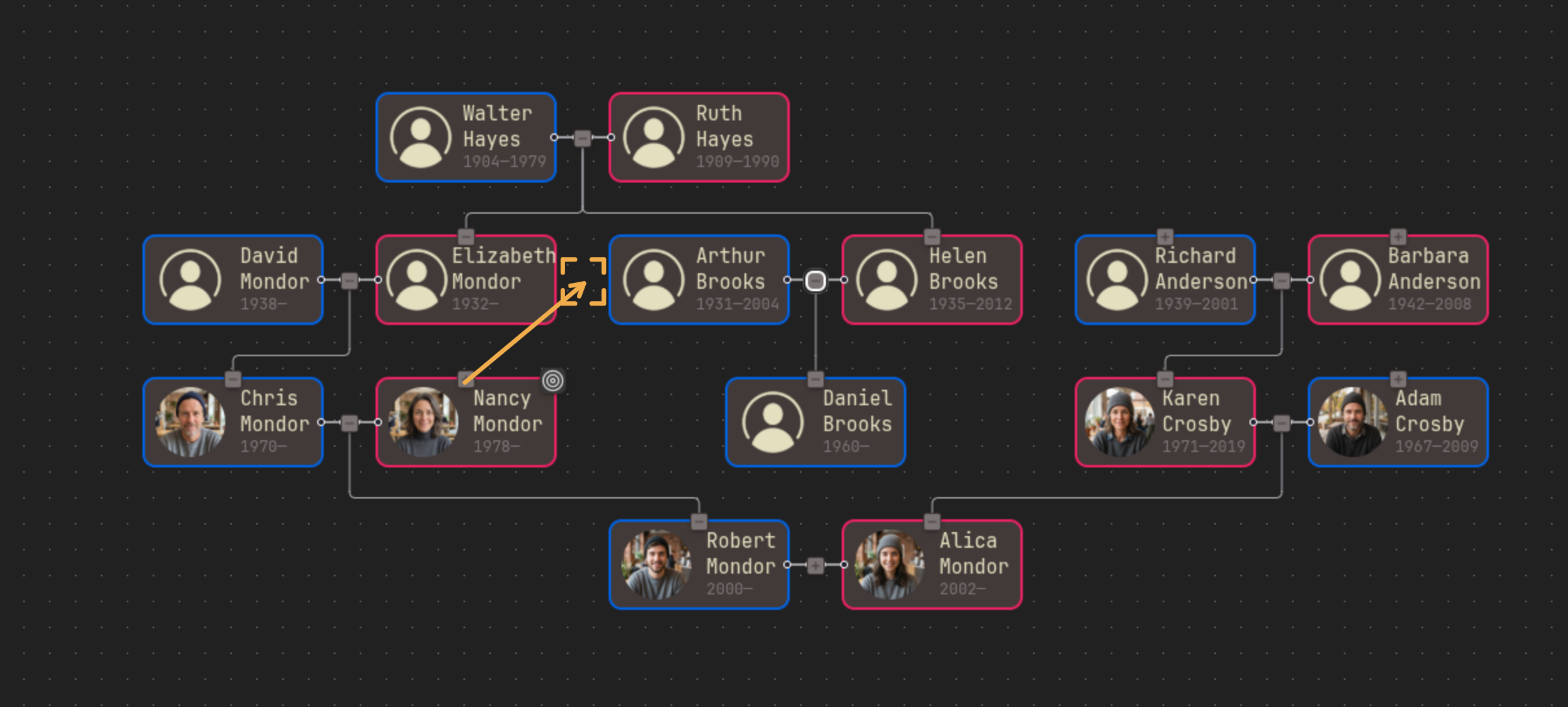
Now we have only one option: between Elizabeth and Arthur.
How does the algorithm decide where to insert parent nodes? What if parents also have their own parents; should we add them too? So many options and possibilities 😵💫
Let's take the following imaginary genealogy graph (I simplified it):
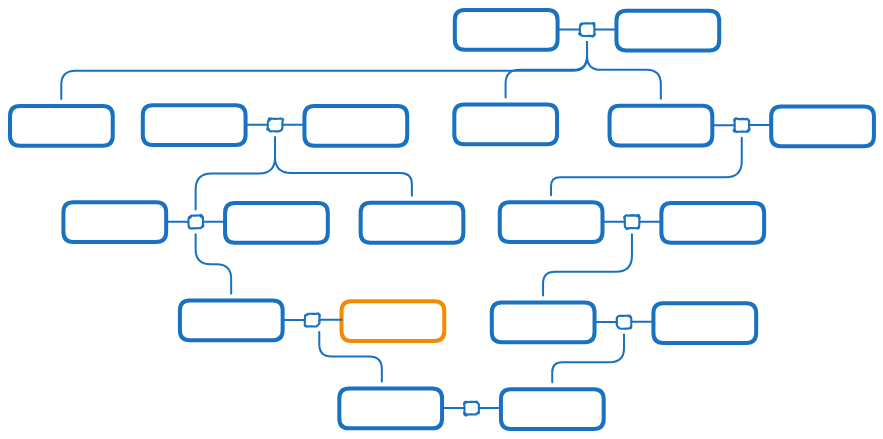
We want to expand the ancestors of the orange node. Where should we place them? How many ancestors should we add? Let's see possible options:
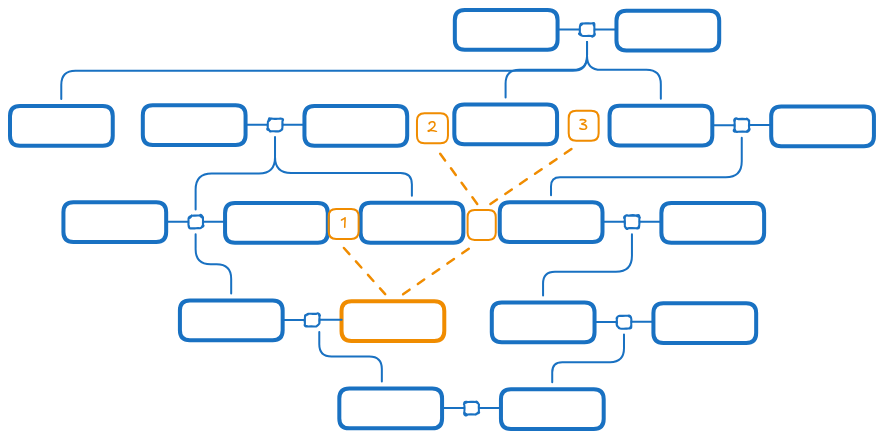
Different options allow us to expand a different number of generations back. For example, option 1 lets us add ancestors from only one generation back from the orange person. But options 2 and 3 let us add ancestors from two generations back from the orange node. The Grafily plugin always selects the option that lets you expand the most generations.
Internally, those options are called paths. A path is a way between graph nodes through layers where we can insert nodes and be sure that we will not cause edges to cross. The Grafily plugin calculates all possible paths and selects the longest one.
Thus, in the example above, Grafily will choose the second or third path. After that, the plugin will add orange node parents and other direct ancestors. It always tries to add as many ancestors as it can. Practice confirmed that this simple heuristic approach is very convenient.
Let's take another example:
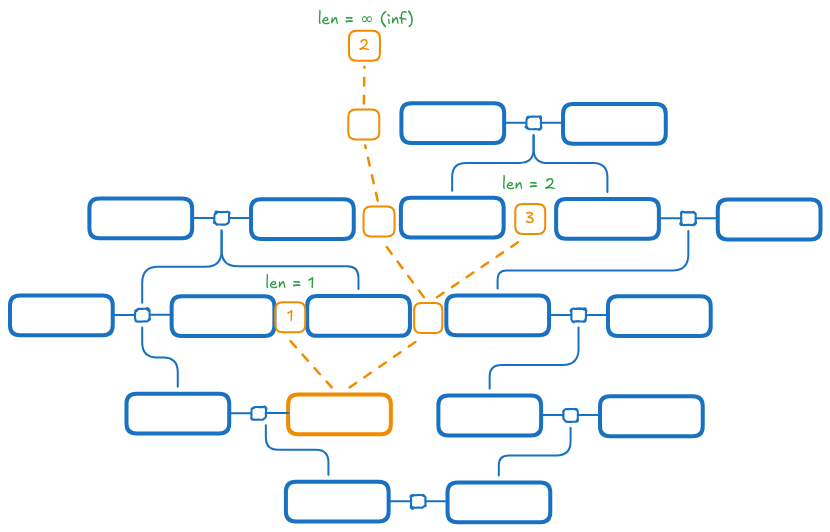
In the example above, the Grafily plugin will always choose the second path because its length is ∞ (inf). We can add as many ancestors as we have (no limit).
Want to know the best part about this approach? It forks perfectly for ancestors and for descendants as well! I wrote a generic implementation, so the same code works for expanding parent nodes and also child nodes too:
- Longest path: github/TheBestTvarynka/grafily/b8dc4e9331/src/layout/builder/index.ts#L197.
- Adding nodes by path: github/TheBestTvarynka/grafily/b8dc4e9331/src/layout/builder/index.ts#L452.
Nodes rearrangement
The hard part was deciding what functionality to sacrifice to simplify development. In the end, I implemented node rearrangement very simply.
When both spouses have no parents, or when only one of them has parents expanded, then swapping spouses is trivial - we can just swap nodes and call it a day.
When both spouses have expanded parents, it's not trivial. Because it is a graph, spouse parents can have many ancestors, and those ancestors can have many descendants. For instance, how would you swap Robert Mondor and Alisa Mondor on the following graph?
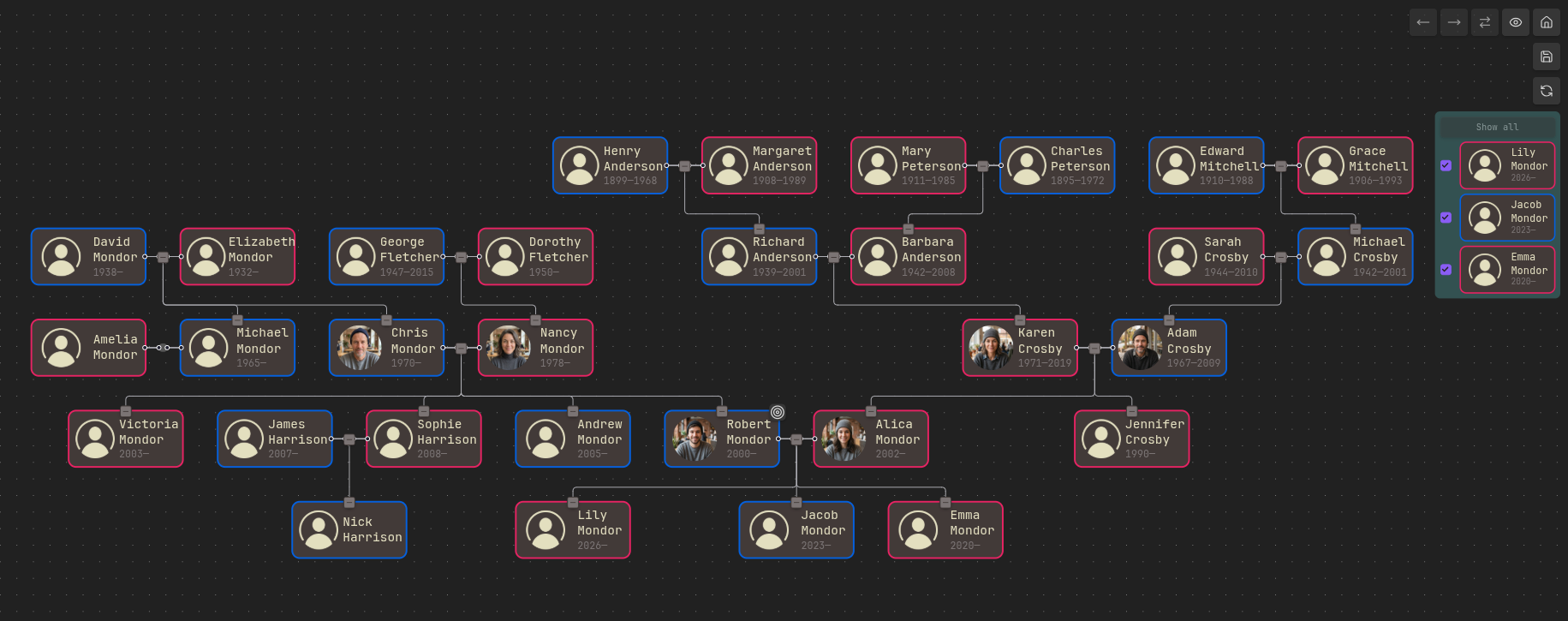
To swap them, you would need to remove all nodes from one side, swap spouses, and then insert all those nodes on the other side. I do not say that it is not possible, but I do say that it is too complicated. Even more, I can create an example where swapping spouses without further clarification is impossible or at least would be unpredictable for the end user.
A roughly the same situation applies to moving the sibling node to the left/right. We cannot swap two sibling nodes if both of them have descendants. Descendant subgraphs can be too complicated to deal with. But it is easy and possible to swap two sibling nodes when neither, or only one, has descendant nodes.
Removing nodes
Removing nodes is not hard: you ✨ just ✨ recursively walk through the graph and remove nodes.
Conclusions
Often, too many complicated algorithms are not worth the gain.
Often, we should sacrifice some functionality to simplify the implementation (the worse-is-better).
References
- Implementation: github/TheBestTvarynka/grafily/b8dc4e9331/src/layout/builder/index.ts.
- Try it yourself:
GETTING_STARTED.md.