Obsidian photo-tagging
Pavlo Myroniuk February 17, 2026 #javascript #typescript #project #react #frontendTL;DR: github/TheBestTvarynka/photo-tagging.
The problem
I store my genealogy research data inside the Obsidian vault. Its structure assumes that I have one page per person. When I got a lot of old photos from many relatives, I started thinking about how to store them. Obviously, I cannot group them by person because there are many photos with many people in them. After a bit of thinking and visualizing 😶🌫️ 🧐, I realized that the best solution for me would be to show all the photos they currently have on a person's page.
The solution
I tried to find a similar thing in existing Obsidian plugins, but failed. Unfortunately, I did not find anything like this plugin. So, as you may already guess, I decided to write my own plugin! 🤩
The idea is simple: manually tag people on photos and store the connections data in the .json file.
Then the user can add a special code block that turns into a gallery of this person's images.
Usage example
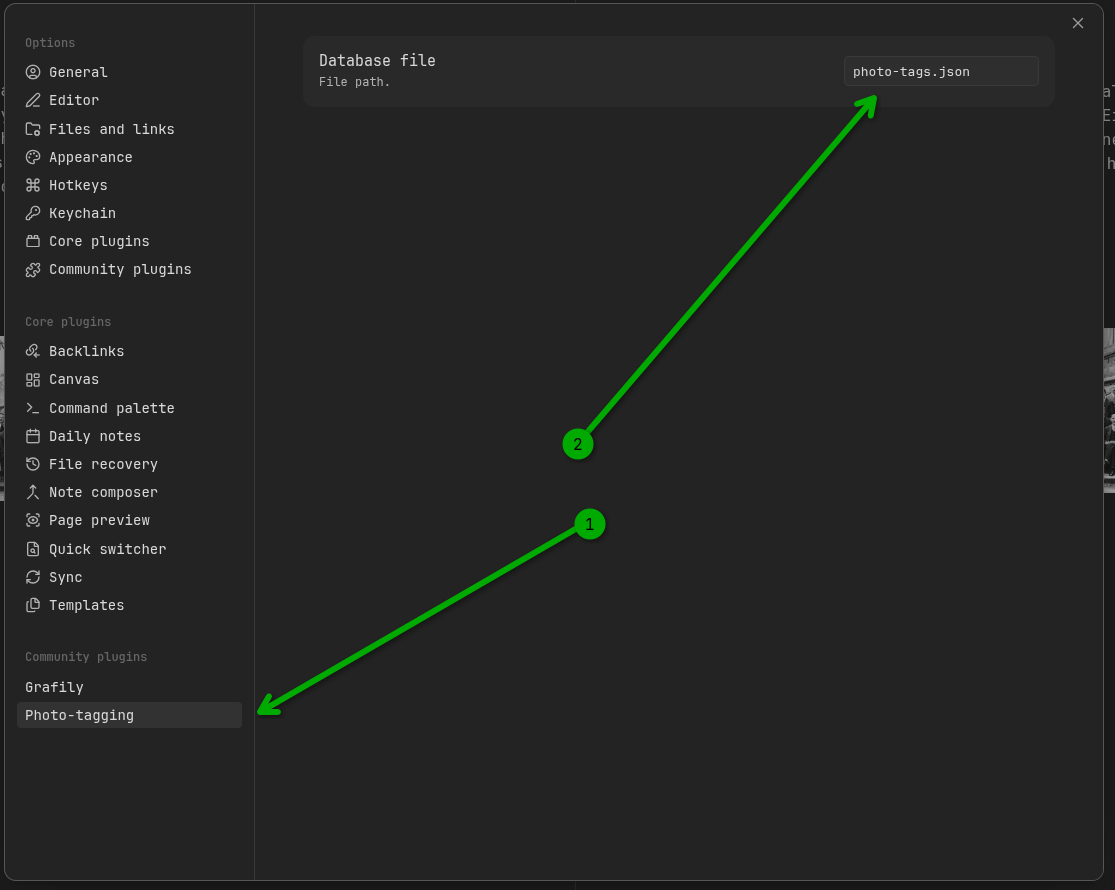
First things first: the user needs to enable the plugin in the Obsidian app:

Then, optionally, the user can configure the target .json file location.
The default value is photo-tags.json, and it can be changed in the plugin settings:
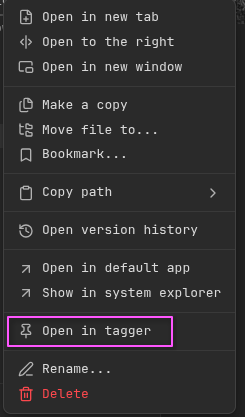
Next, click on any image inside the vault with the right-mouse button, and you will see a new Open in tagger option:
Then, in the open tagger, the user can tag people and optionally add custom hashtags. These hashtags work the same way as regular hashtags: their only purpose is to group photos into different categories.

After that, on the corresponding person's page, add the tagged-photos code block. It will become the person's photo gallery.
Optionally, if the user adds group: hashtags inside the code block, it will group a person's photos by hashtags and render a separate gallery for every hashtag.
See the example:
| Usual | Grouped by hash-tags |
|---|---|
 | 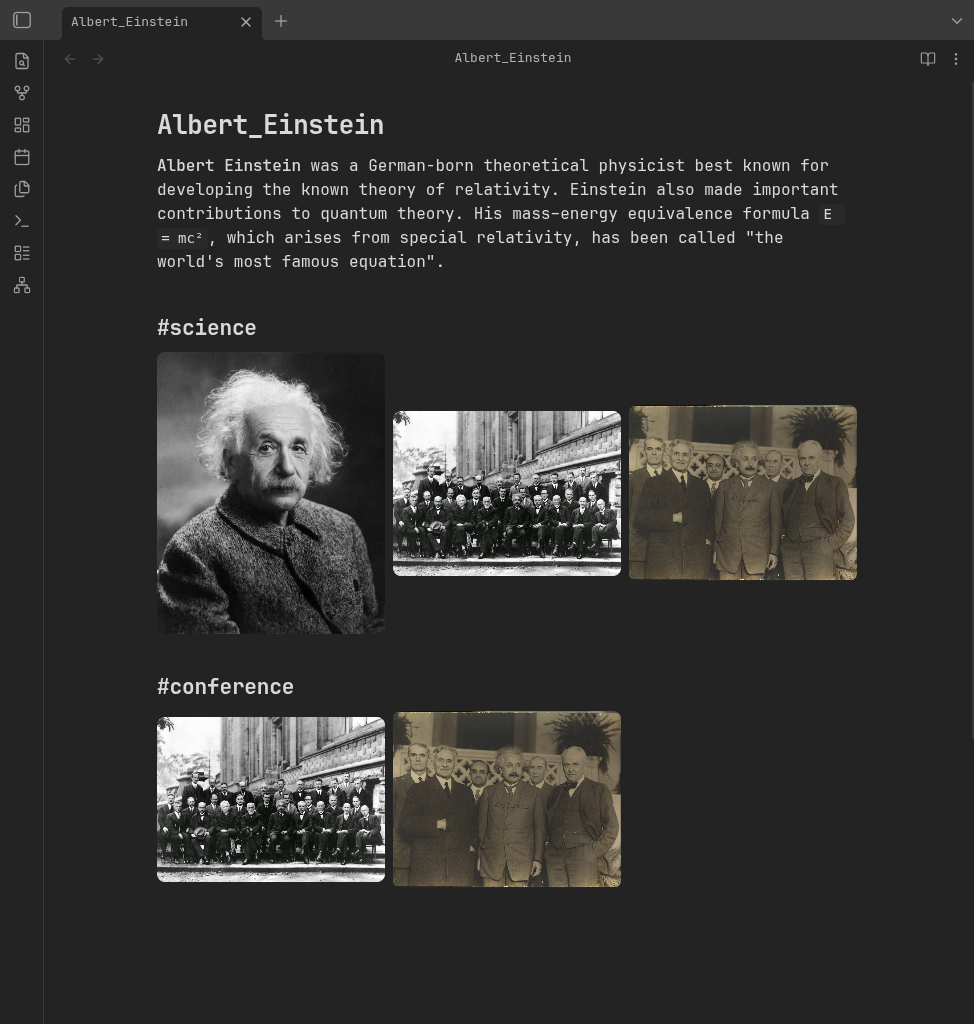 |
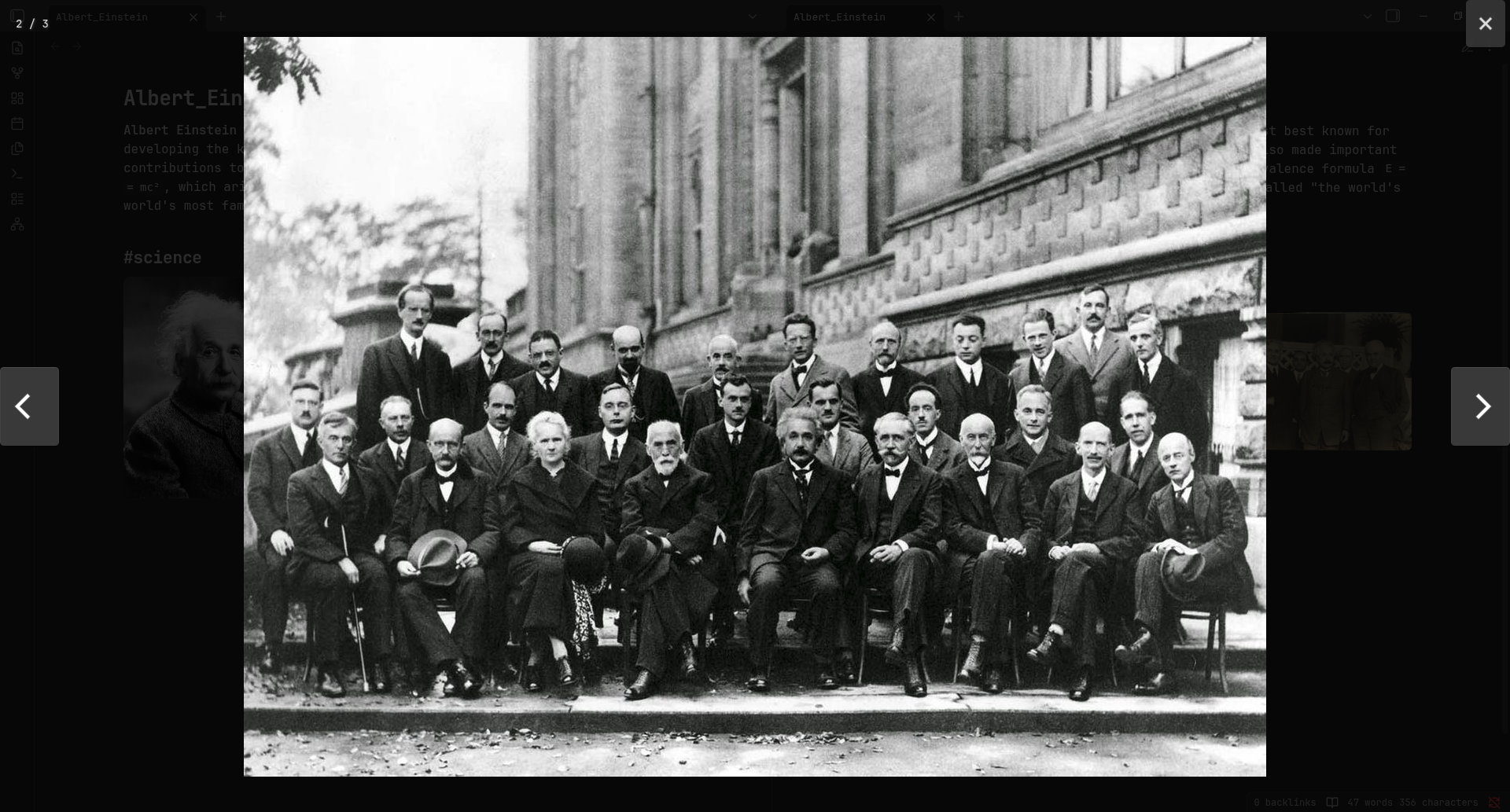
Click on the image to see it in full screen:
Basically, that's all. Easy, simple, and convenient ✨.
Features
- Built-in photo tagger.
- A special
tagged-photoscode block processor that turns the current person's photos into a gallery.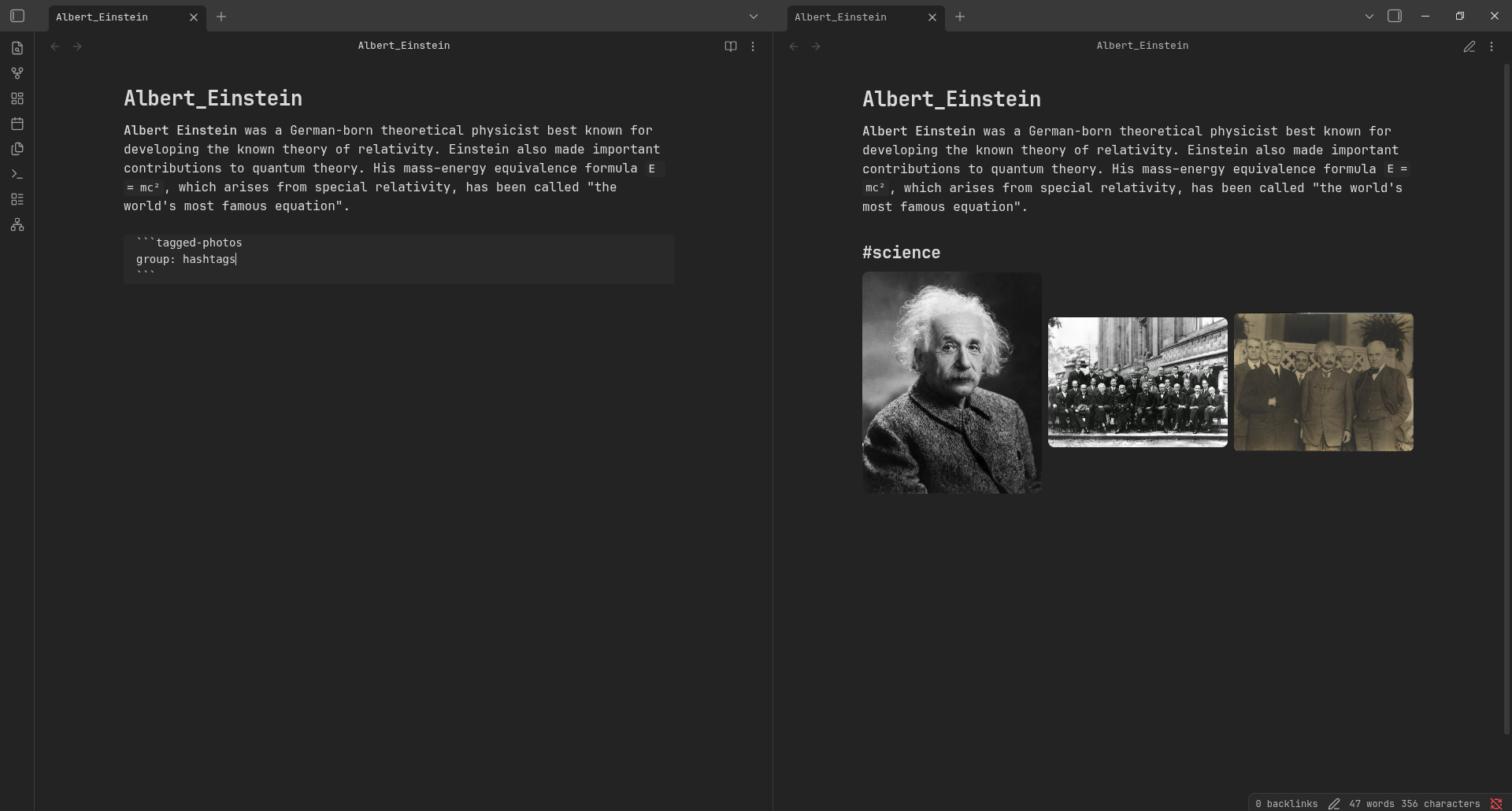 When the user clicks on any image, it will be opened in the full-screen gallery (powered by
 photoswipe): - Hash-tags support (see screenshots above).
What's next
The core features are already implemented and serve their purpose well. I like them.
I still have a few improvements in mind:
- Optimizations/caching. Almost all old photos are just scanned from old paper photos. I usually scan at 1200 DPI, and the resulting image is huge. Sometimes the page loads slowly. I want to fix that.
- Better tagger. Current photo tagger is OK, but not good. I plan to make it more user-friendly.
- Automatic connections updates. Catch when a photo is deleted/renamed/moved, and automatically update the connections in the internal
.jsonfile. - Photo explorer? I am not sure what this feature should look like, and even if it's worth implementing. But from time to time, I am thinking about a generic photo explorer: a special page where the user can query photos using different combinations of selectors (like hashtags + people, AND and OR operations in the query). The future will show me the right path. 😌
Useful links
- Source code: github/TheBestTvarynka/photo-tagging.