Announcing crypto-helper v.0.16.0
Pavlo Myroniuk December 11, 2025 #rust #tool #project #yew #crypto-helperVisit this tool at crypto.qkation.com.
Short release notes can be found here: crypto-helper/v.0.16.0.
Intro
The previous release was around 1.5 years ago. I've made many improvements and fixes since then. It's time to publish a new release.
Note:
Actually, releases are just checkpoints during the
crypto-helperdevelopment and do not mean anything special. All features and fixes are deployed and available right after merging into themainbranch.
This post contains a comprehensive list of new changes, along with additional explanations on how to use the new functionality.
ASN1 major features
ASN1 tree editing

feat(asn1): implement asn1 tree editing (#105) + fix: asn1: create/delete pop-up shake on ctrl press + fix(crypto-helper): asn1: remove node pop-up positioning.
This is the most prominent and most wanted feature of this release.
I always wanted the ability to edit the ASN1 tree. It just feels right. If I can view, then I'm most likely going to edit... But for the past few years, I have not had enough time and/or motivation to implement it. It was just an interesting idea (as many other ideas in my head). But it changed this summer, when I needed to generate different certificates to test information extraction.
It was a nightmare. How can I generate the same cert with a few differences, such as extension/enhanced key usage or alternate subject name properties? I did not care if the cert is trusted or about the cert's private key. I only needed certificate files. The task can be summarized as how to edit the ASN1 tree: add, change, or remove ASN1 nodes.
That time I decided to use my asn1-parser crate and just wrote some tests that parse the original certificate, make the necessary changes, and encode it again in base64.
It wasn't a pleasure to write such tests. After that, I decided to implement ASN1 tree editing no matter what.
After...
- many hours of designing,
- a few PoCs,
- `asn1-parser` complete refactoring,
- 2.8k lines of code,
- ??? hours of development,
- ...
I finally came up with a working, very cool (IMHO) implementation. It works just as I wanted. I am even a bit proud of it 🥰.
User guide
So, how to edit the ASN1 tree? The page looks exactly the same as before ASN1 tree editing was implemented:

Editing
To edit an ASN1 node, hold ctrl + click on the node title. For example, let's click on the Integer node:
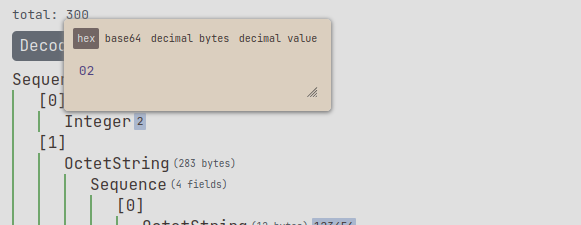
You will see a pop-up menu. Here you can enter any value you want. Multiple formats supported: raw hex/base64 bytes or decimal value (the value will be converted into bytes).
The changes take effect automatically when you type:
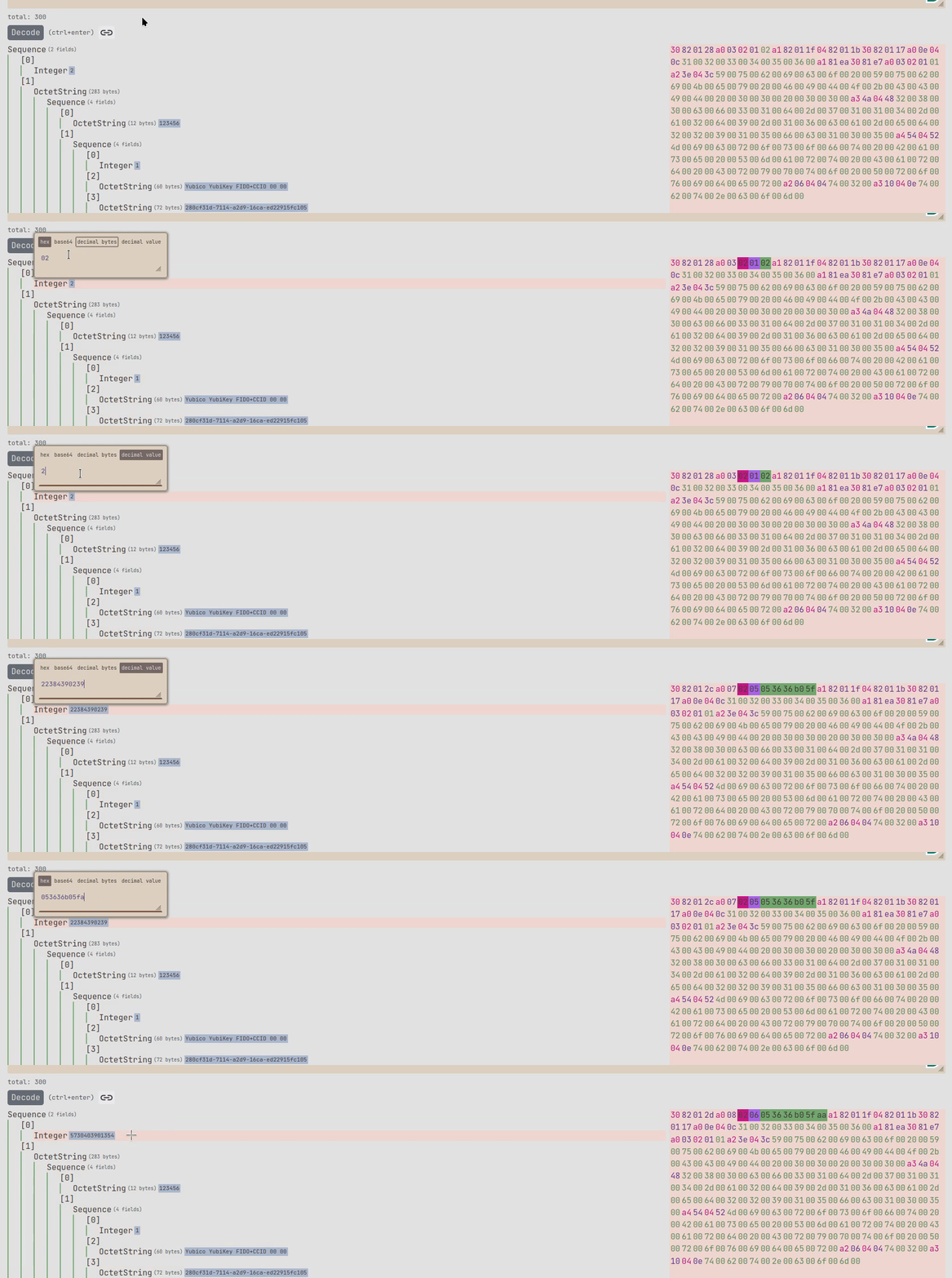
These editing rules apply to every node you see on the screen.
Deletion
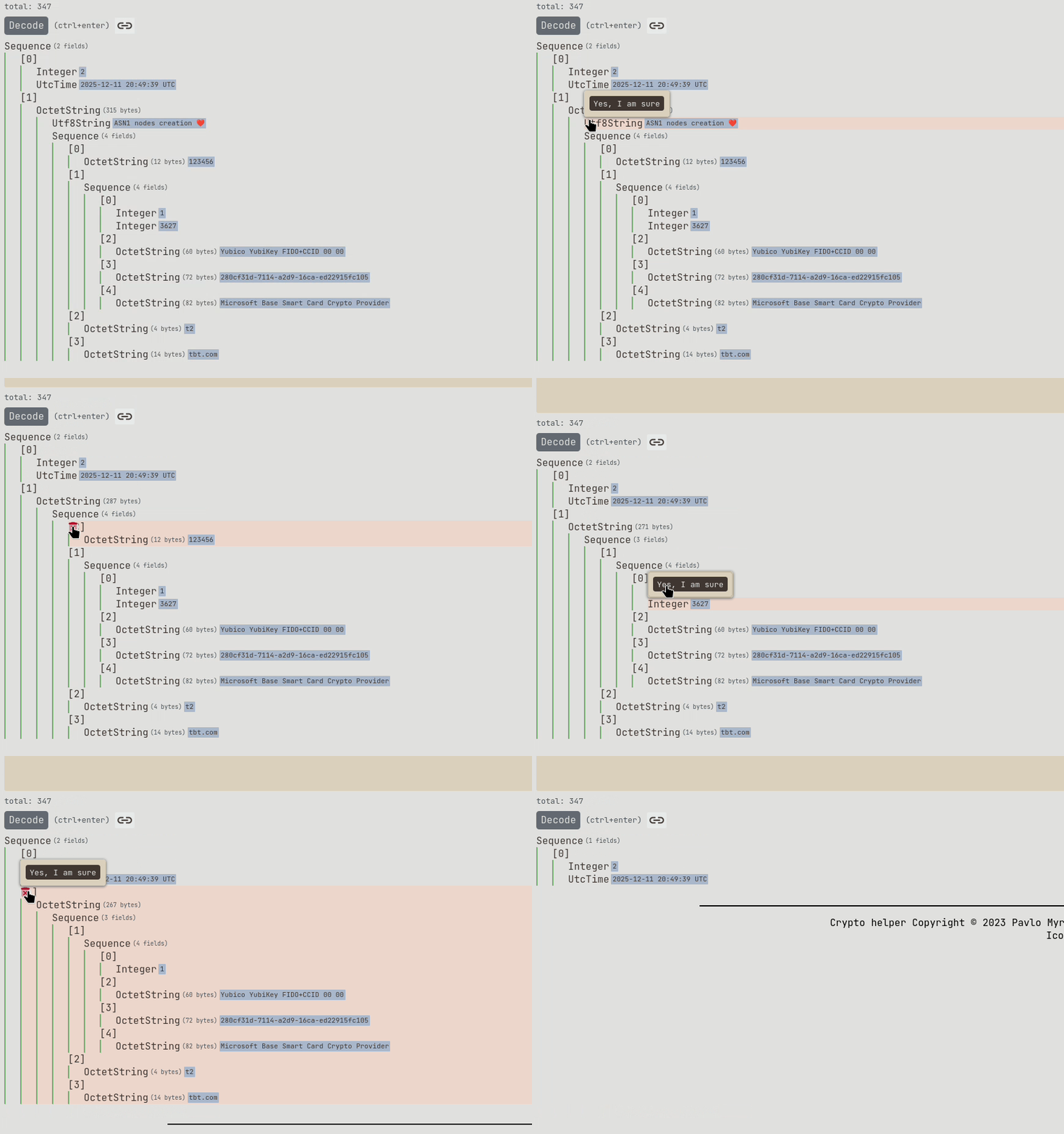
To delete an ASN1 node, hold ctrl and move the cursor to the start of the node title. You will see a trash icon. Click it and confirm deletion. It will automatically update the entire tree.
Creation
To create an ASN1 node, hold ctrl and move the cursor between the other two notes where you want to insert a new node. You will see the plus icon.
Click on it. You will see a pop-up menu. Type the desired node type. The app will automatically select the suitable editor type for the entered node type.
Type in the data you want, then submit. Demo:

Sometimes you need to create more than one node at a time. For example, when you want to move one sub-tree from one place to another inside the tree. The current implementation allows it, but with the help of a small workaround. Still, you can achieve the result by copying the sub-tree, deleting it, and then inserting it in the needed place by creating a new sub-tree from raw (hex/base64) data. Example:
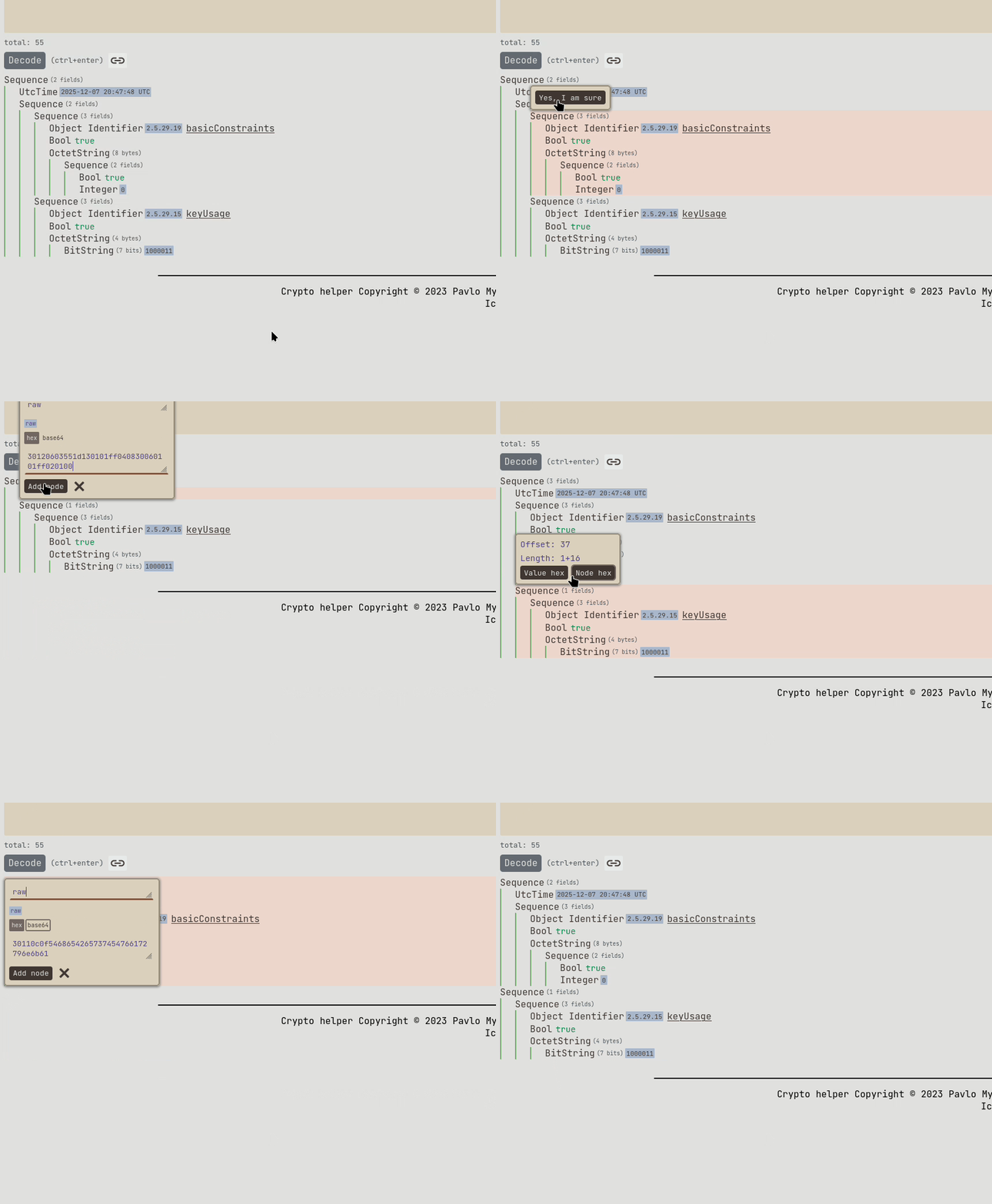
The raw data type is added on purpose: to allow multiple node creations at a time. I bet it will be helpful in many cases.
This technique allows the user to paste any kind of asn1 data at once.
Wide strings auto-decoding
feat(crypto-helper): asn1: autodecode wide strings; (#103).
I often see that in some cases, strings can be encoded as UTF-16 inside the OctetString node. For example, CredSSP smart card credentials are encoded this way:
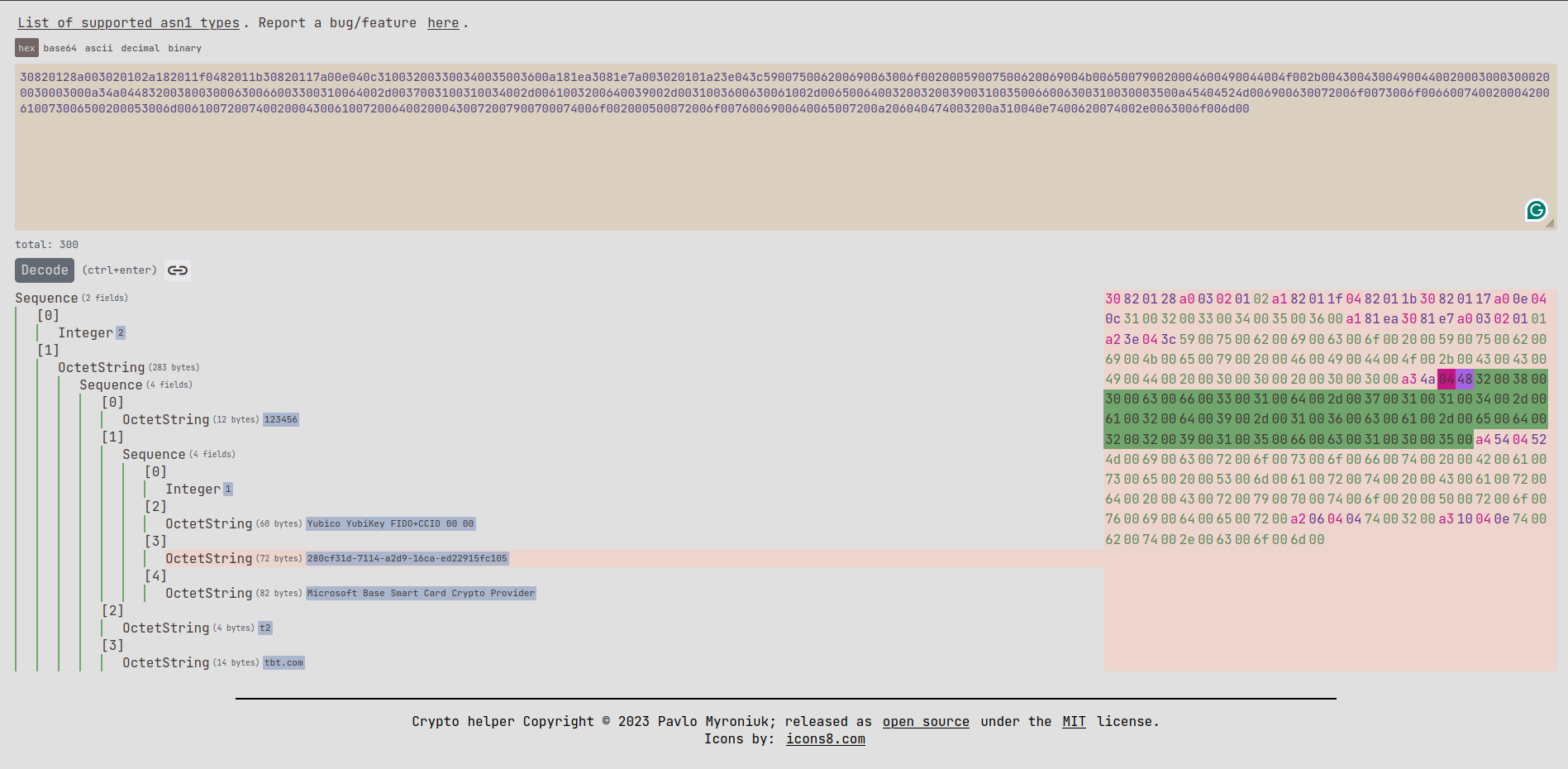
As you can see in the screenshot above, such buffers are now parsed as UTF-16 and printed as a standard string.
But I forgot that many other buffers can be a valid UTF-16. For example, in the screenshot below, you can see the highlighted encryption key, which was automatically decoded as UTF-16:

I still decided to keep this feature because it looks fun 😆. If I need to look at buffer bytes, I can always use the hex viewer to the right.
crypto-helper major features
HMAC-SHA support
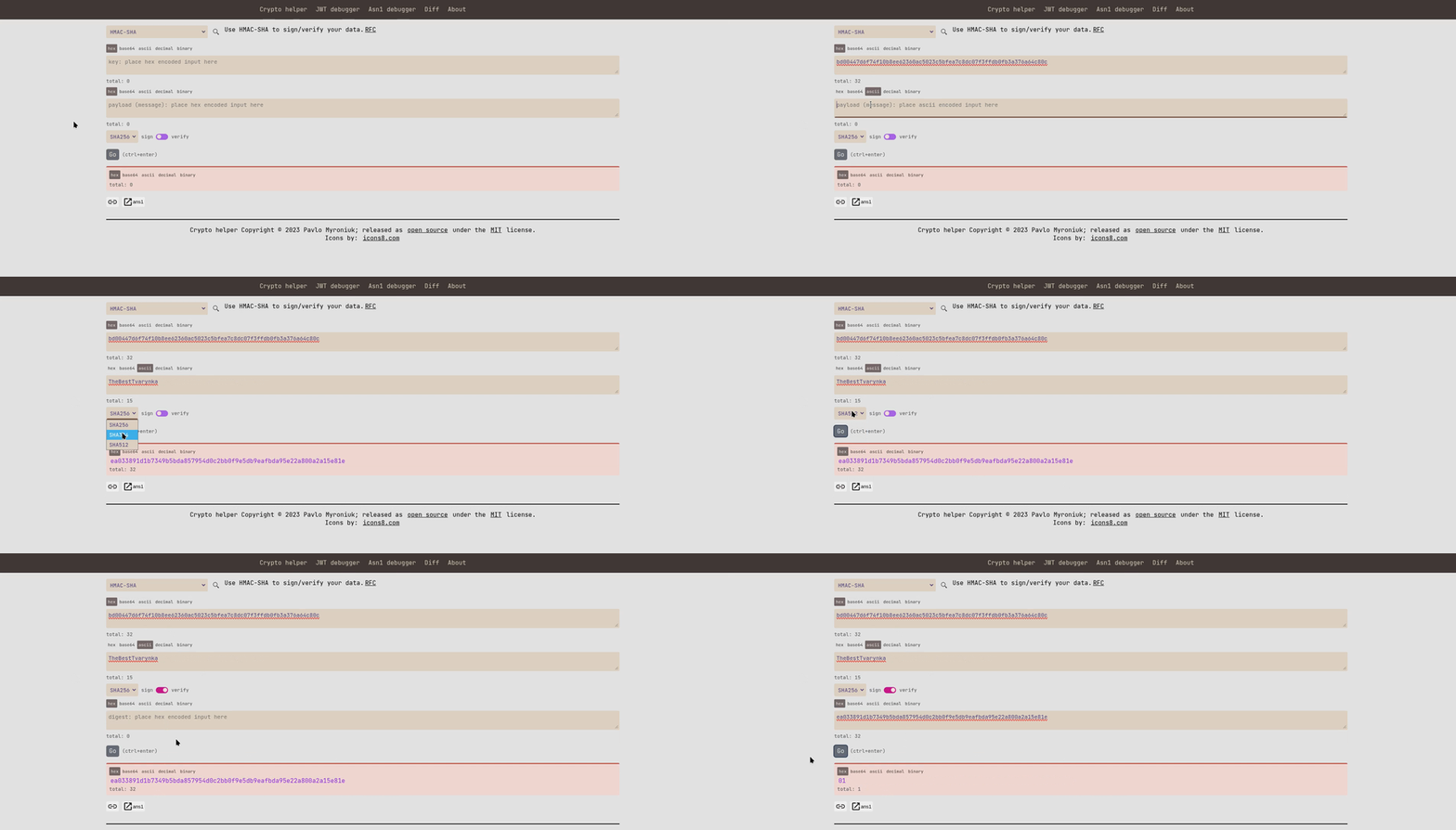
HMAC-SHA algorithm support: crypto-helper/commit/dcc4e41f. Including the following SHA variations: SHA256, SHA384, and SHA512. Demo:
Redirect to ASN1
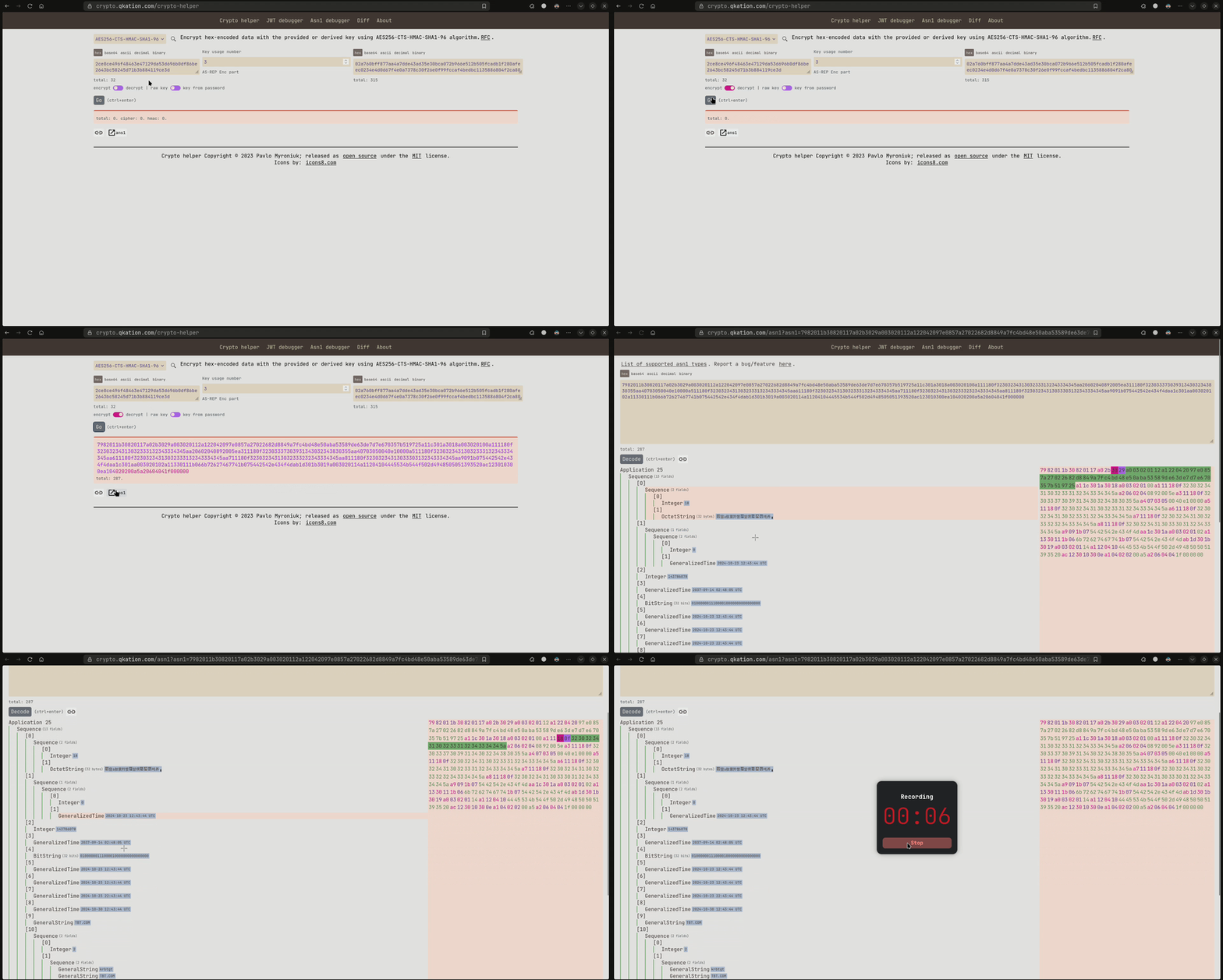
Add button to redirect output to ans1 page (#95). Many thanks @grok-rs for his contribution! The idea is simple: redirect to the ASN1 page and try to decode the result of the cryptographic operation as an ASN1 DER structure.
This feature is very useful for me when I want to decrypt and parse the encrypted part of the Kerberos message. For example:
Other changes
- More OIDs: #81, #102.
- Fix incorrect diff calculation: #94. Many thanks @grok-rs for his contribution!
- Allow empty
BitStringdecoding: #93. Many thanks @grok-rs for his contribution! - CI: add build WASM step: crypto-helper/commit/814d1675.
- Update dependencies and refactoring: #83, #87, Rust 2024 edition (#101), #106.
README.mdand typos fixes: #79, #80, crypto-helper/commit/15785bfe, crypto-helper/commit/dd47d963.
References
- GitHub release: crypto-helper/v.0.16.0.
- Official website: crypto.qkation.com.
- Source code: TheBestTvarynka/crypto-helper.